

ToHD
Upscale video to HD in your browser
At a glance
ToHD is a free browser tool that upscales 360p and 480p video to 720p, 1080p or 4K with AI, without uploading the file.
- Freebrowser, no signup
- 4Ktop output size
- 5 USDsmallest cloud pack
- The video is processed inside the browser tab, not on a server
- No signup, no watermark, and clips of any length up to 4K
- Includes an Anime mode built on a Real-ESRGAN model for animation
- Pricing
- Freemium
- Platforms
- Web
- Category
- AI Image & Video Tools
- Website
- tohd.video
- Last checked
What it does
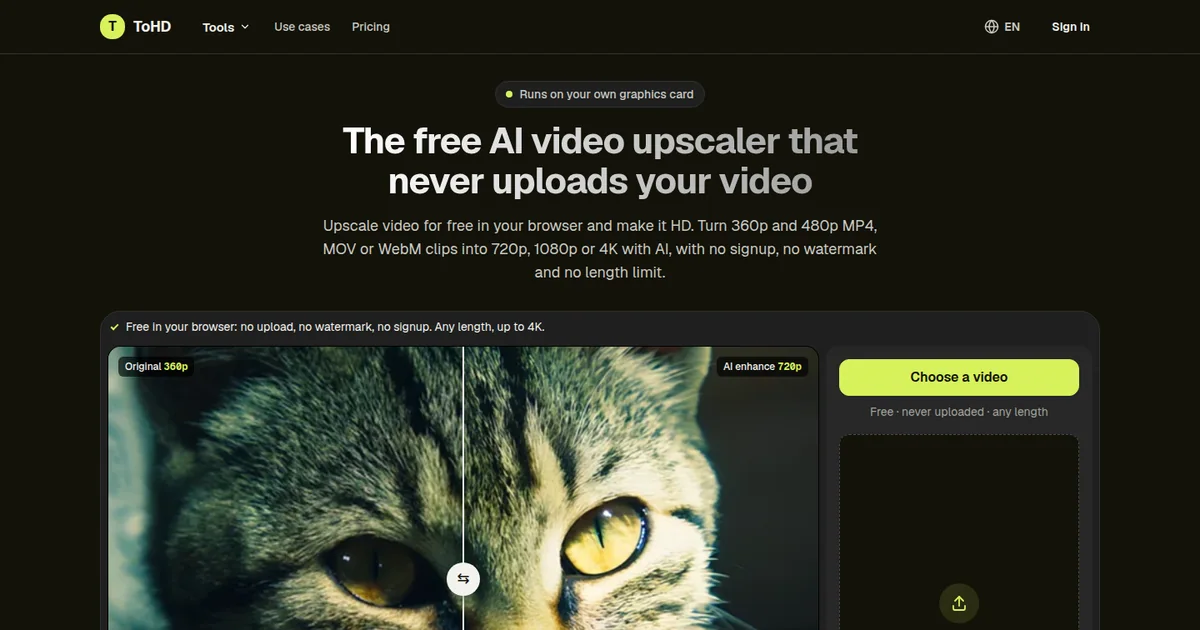
ToHD is a video upscaler that makes low resolution and soft footage look sharper. You add an MP4, MOV or WebM clip, and the tool raises it to 720p, 1080p or 4K with AI.
The free tool runs in the browser and uses your own graphics card through WebGPU. The file is decoded, upscaled and encoded inside the browser tab, so private clips do not leave your computer.
How it works
- Add a 360p or 480p clip.
- Pick the output size, and the Anime mode for cartoon footage.
- Let the tab process the video and save the result.
The output is a new file, so the original clip stays as it was. The input can be MP4, MOV or WebM, and the output can reach 4K.
Cloud option
For full AI detail, a paid cloud service runs the work on GPUs. Credit packs are one-time payments, from 5 USD for 300 credits, with no subscription.
Good to know
- Processing time depends on your computer. A slow machine takes longer.
- On a phone, the preview shows a tested example rather than your own frames.
- The free tool needs no account, so there is nothing to sign in to before you start.
Who it's for
People with low resolution clips who want a quick HD version
Typical uses
- Make an old 480p family video look sharper on a larger screen
- Prepare a low resolution anime clip for a 1080p timeline
- Upscale a short clip before sharing it at a higher size
Features
- Upscales 360p and 480p clips to 720p, 1080p or 4K
- Runs the AI model on your own graphics card in the browser
- Anime mode with a Real-ESRGAN model made for animation
- Noise remover for files up to 10 minutes in the browser
- Cloud processing for full AI detail on longer files
Pricing
Freemium
The free browser tool has no signup, no watermark, and no clip-length limit up to 4K. Cloud credit packs are one-time payments, from 5 USD for 300 credits.
Limitations
- Free processing depends on the speed of your own computer
- Full AI detail needs the paid cloud service, which uses credits
- On a phone, the preview is a tested example, not your own frames
FAQ
Is ToHD really free?
Yes. The free tool runs in your browser with no signup and no watermark, for clips of any length up to 4K.
Does ToHD upload my video?
No. The free tool processes the file inside the browser tab, so the video is not sent to a server.
Does ToHD work on a phone?
The tool can run on a phone, but the preview shows a tested example instead of your own frames. Slow phones may take longer.