
TattooTryOn
Judge a tattoo's placement before you commit
At a glance
TattooTryOn shows a tattoo on a photo of your own body, with AI rendering it as a healed tattoo.
- 340library designs
- 5free credits monthly
- Freeplacement preview
- See size and placement before you commit to ink
- Works on your own body, not on a stock model
- The placement preview is free and needs no account
- Pricing
- Freemium
- Platforms
- Web
- Category
- Design Tools
- Website
- tattootryon.app
- Last checked
What it does
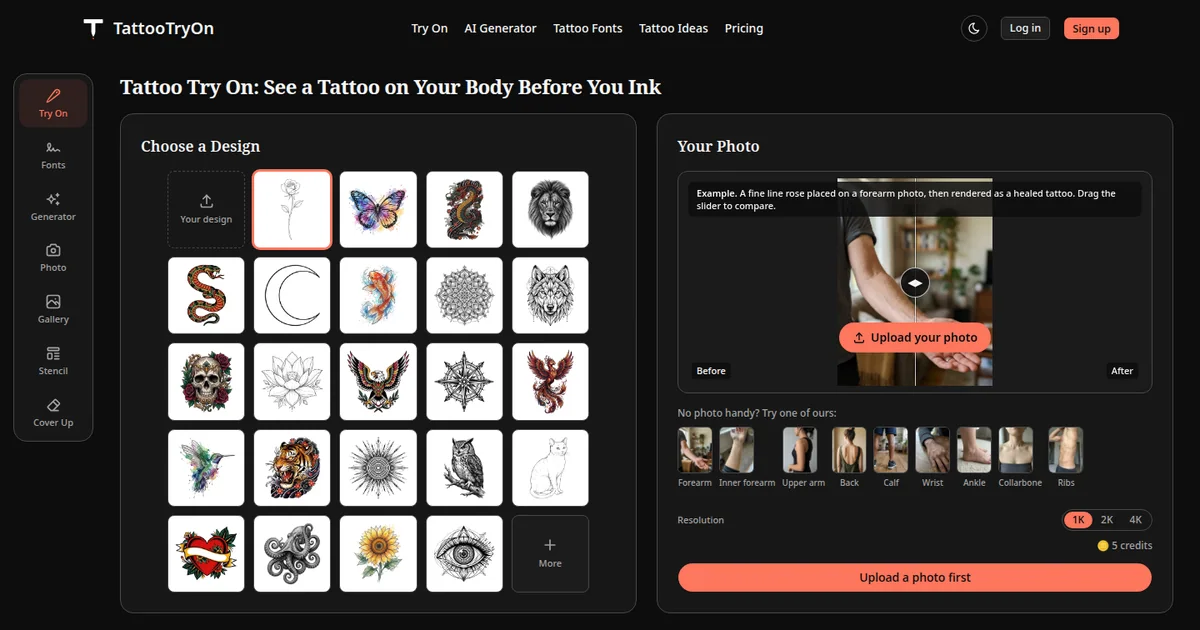
TattooTryOn shows a tattoo on a photo of your own body before you book the appointment. Pick a design, place it on a photo of your forearm, back or calf, and see how it sits at the size and angle you choose.
Start with a photo of the spot you have in mind, or use one of the sample photos. Choose from a library of 340 designs in 10 styles, or upload your own design or a photo of a paper sketch. Drag the design into place, then resize and rotate it with the corner handle or a pinch gesture. The design shows on bare skin only.
Placing the design happens in your browser and is instant. If you want more than a placement check, press Make it look real. The AI then renders the tattoo as a healed one that follows your skin tone and the light in the photo, and a slider lets you compare before and after.
What it helps with
A try-on lets you judge size, position and style before you commit to permanent ink. The design stays at the position you set, so the render shows the placement you chose.
Good to know
A render usually takes about 30 seconds to a minute. The free preview downloads as a PNG, and the AI render uses credits. Uploaded photos stay private by default.
Who it's for
People planning a first tattoo who want to see the placement before they book
Typical uses
- Check the size and position of a tattoo before booking an appointment
- Compare one design on your forearm and your upper arm
- Show a tattoo artist the placement you have in mind
Features
- Places any design on a photo of your own skin
- Offers 340 library designs in 10 styles
- Accepts your own design or a photo of a sketch
- Resizes and rotates the design with drag and pinch gestures
- Renders a healed-looking tattoo with AI and a before and after slider
- Downloads the free placement preview as a PNG
Pricing
Freemium
The placement preview is free and needs no account. AI renders cost 5 to 10 credits, and signed-in accounts get 5 free credits each month. See the product's website for current plans and pricing.
Limitations
- The preview works on bare skin only.
- An AI render takes about 30 seconds to a minute and uses credits.
- The preview is a visual aid, and the final tattoo depends on your artist.
FAQ
Is TattooTryOn free?
The placement preview is free and needs no account. An AI render costs 5 to 10 credits, and signed-in accounts get 5 free credits each month.
Can I use my own design?
Yes. You can upload your own design or a photo of a paper sketch.
Which body parts can I try?
You can upload a photo of any spot. The sample photos cover the forearm, upper arm, back, calf, wrist, ankle, collarbone and ribs.