

Tattoo Stencil
Turn a photo into a true-size stencil
At a glance
Tattoo Stencil is a browser tool that turns a photo into a true-size stencil for transfer paper, made for tattoo artists and studios.
- 4.99 USDStarter, 20 stencils
- 300 DPIexports at true size
- Prints at the exact width you type, at 300 DPI
- Removes the background and sets line weight before you export
- Starter and Flash packs are one-time payments with no subscription
- Pricing
- Freemium
- Platforms
- Web
- Category
- Design Tools
- Website
- tattoostencil.ink
- Last checked
What it does
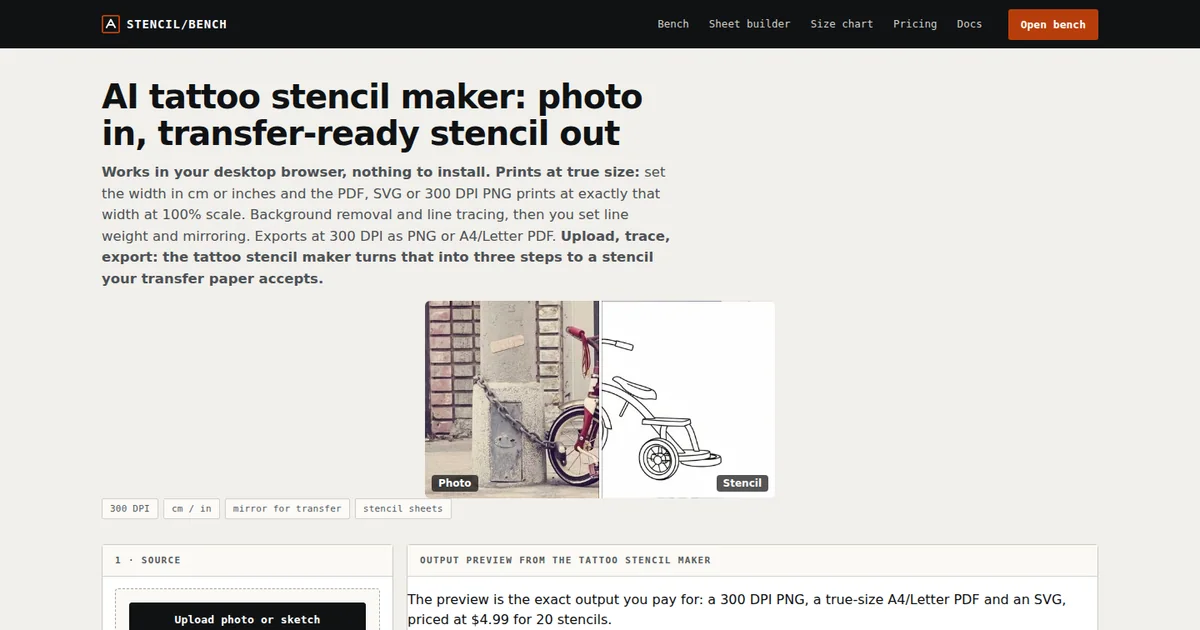
Tattoo Stencil is a browser tool for tattoo artists who need a stencil on transfer paper. You upload a photo with one clear subject, the background is removed, and the lines are traced. The result prints at the exact width you type in centimetres or inches.
Nothing has to be installed, because the work happens in a desktop browser. The tool lets you set the line weight, which matters because fine lines can fill in on thermal paper. It mirrors the design by default for face-down transfer. Paid exports are 300 DPI PNG files, true-size A4 or Letter PDFs and SVG vectors.
How it works
- Upload a photo and let the tool remove the background.
- Adjust the line weight so the fine lines survive the transfer.
- Set the width, then export the PNG, the PDF or the SVG file.
Sheets and packs
The sheet builder places several stencils on one A4 or Letter page, which helps on a client consultation day or for a flash sheet. The Starter and Flash packs are one-time payments. Pro is a monthly plan with 100 stencils per billing month.
Good to know
Blurry or very dark photos give weaker lines. The preview is watermarked, so check the line weight on it before you buy a pack. Print at 100 percent, because the PDF is sized for true size and should not be scaled to fit the page.
Who it's for
Tattoo artists and studios that make stencils from client photos
Typical uses
- Turn a client's photo into a stencil before a tattoo session
- Print several designs on one A4 sheet for a flash day
- Check the line weight on a watermarked preview before buying
Features
- Removes the background from a photo before tracing the lines
- Traces a photo into black line art
- Adjusts line weight by whole pixels before export
- Sizes the design in centimetres or inches at 300 DPI
- Mirrors the design for face-down transfer by default
- Exports PNG, true-size A4 or Letter PDF, and SVG
- Places several stencils on one sheet
Pricing
Freemium
One watermarked preview is free. Starter costs 4.99 USD for 20 stencils and Flash costs 9.99 USD for 50, both one-time. Pro costs 9.90 USD a month for 100 stencils.
Limitations
- Blurry or very dark photos give weaker lines
- Preview exports carry a watermark; paid stencils do not
- Pro is a monthly subscription that renews until you cancel
- Photos are processed on a server, and finished stencils are kept for up to three days
FAQ
Is Tattoo Stencil free?
You can make one watermarked preview for free. Paid packs start at 4.99 USD for 20 stencils, one time, with no subscription.
Do I need a thermal printer?
No. You can print on plain paper and transfer with stencil gel, or send the PDF to a studio with a thermal printer.
What file formats do I get?
Every paid stencil, including the Starter pack, exports as a 300 DPI PNG, a true-size A4 or Letter PDF and an SVG vector.
Why is the stencil mirrored?
Stencils go on face-down, so the design is flipped by default. You can switch mirroring off.