

Taskweather
Focus sound that follows your browser tabs
At a glance
Taskweather is a Chrome and Edge extension that plays focus sounds and changes them as you move between work sites.
- 14 daysfree trial
- $5.99per month after trial
- Chromeand Edge extension
- The sound changes with your work, not on a timer
- Reads only the site name of your active tab
- Sounds are generated live, so they never loop
- Pricing
- Paid
- Platforms
- Browser extension, Web
- Category
- Productivity Tools
- Website
- taskweather.com
- Last checked
What it does
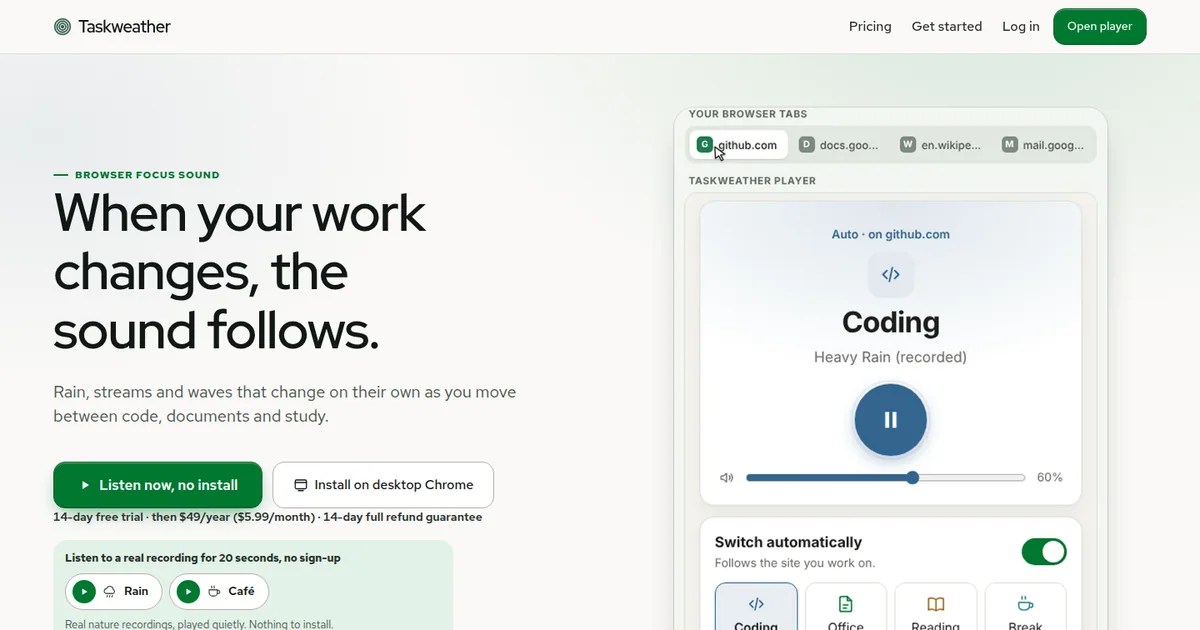
Taskweather plays rain, streams, waves and birds while you work, and the sound changes with your task. Move from GitHub to your editor and the coding sound keeps playing. Switch to a document or a reading page and the mood follows you.
The Chrome and Edge extension reads only the site name of your active tab. It never looks at page addresses, titles or contents, and the decision stays on your computer. A few seconds spent replying to a message or running a search will not change the sound. It moves over only when a task keeps going.
How it works
- Install the extension in Chrome or Edge.
- Keep working. Sites such as GitHub, Google Docs and Wikipedia each set a mode.
- Tap Not now to keep the last sound for five minutes, or pause from the toolbar.
Who it suits
Developers who switch between code and documentation use it for a steady coding sound. Remote workers who spend the day across office tools get a sound that goes quiet on video sites. Students reading and taking notes get soft rain, and it pauses on its own when a lecture video starts.
Good to know
The sounds are generated live in the browser, so they never loop. The web player works in any modern browser, while switching by tab needs the extension.
Who it's for
Developers, remote workers and students who want background sound while they focus
Typical uses
- Keep a steady focus sound while writing code
- Play quiet background sound while reading and taking notes
- Let the sound pause on its own when a lecture video starts
Features
- Changes the sound as you move between coding, documents and reading
- Plays rain, streams, waves, wind and birds
- Pauses when a video lecture starts on sites such as YouTube or Coursera
- Keeps the last sound for five minutes with a Not now button
- Lets you tune the sound with too intense or too calm feedback
- Works as a Chrome and Edge extension or in the browser player
Pricing
Paid
A 14-day free trial, then $49 a year or $5.99 a month. A 14-day full refund guarantee applies.
Limitations
- The tab-based mode needs the Chrome or Edge extension.
- The sound follows the site name only, not what you do on the page.
- The full service needs a paid subscription after the trial.
FAQ
Does Taskweather read my pages?
No. The extension reads only the site name of the active tab. It does not look at page addresses, titles or contents.
Is there a free trial?
Yes. The trial lasts 14 days, and the plan then costs $49 a year or $5.99 a month.
Which browsers does it support?
The extension works in Chrome and Edge. The web player works in any modern browser.