

SubtitleParrot
AI subtitles and translation for video, in the browser
At a glance
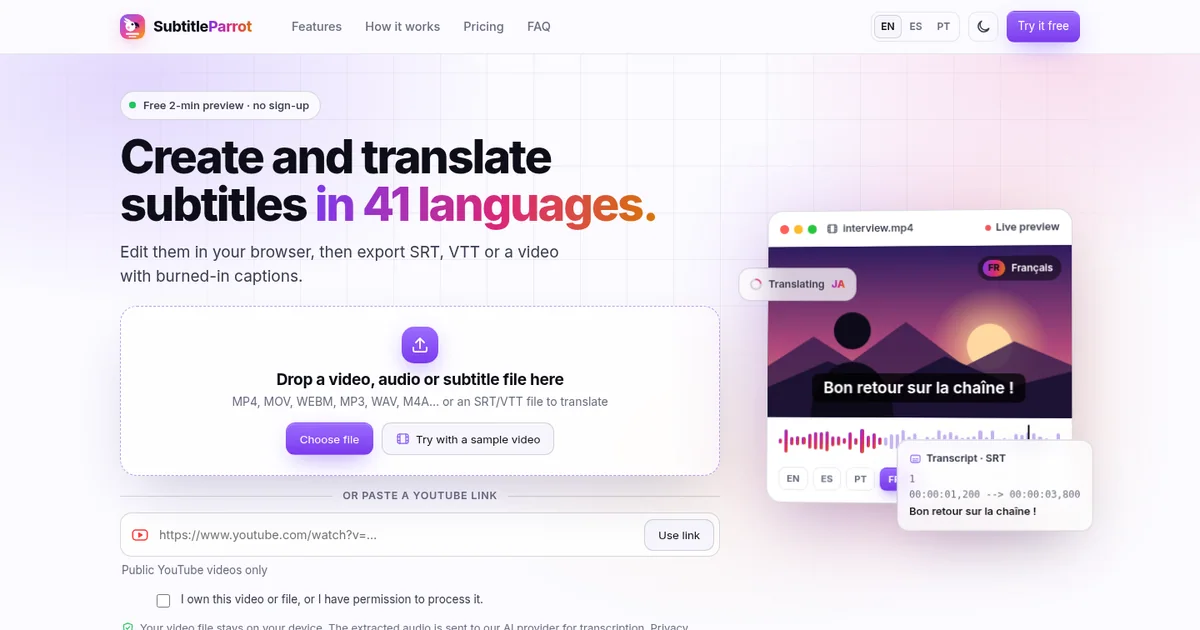
SubtitleParrot is a browser tool that transcribes a video into timed subtitles, translates them into 40+ languages and exports SRT, VTT or a video with burned-in captions.
- 41languages for subtitles
- $5per video, up to 30 min
- No install and no sign-up for the free preview
- Pay per video or per minute, with credit packs that never expire
- Timings stay intact when captions are translated
Works with YouTubeTikTokPremiereCapCut
- Pricing
- Freemium
- Platforms
- Web
- Category
- AI Image & Video Tools
- Website
- subtitleparrot.com
- Last checked
What it does
SubtitleParrot creates subtitles for a video file in the browser. You drop in a video, audio or subtitle file, the tool transcribes the speech into timed lines, and you edit the lines before you export them.
The free preview covers the first 2 minutes of a video without a sign-up. Full-length downloads and burned-in video export need a paid plan.
Transcription and translation
The tool detects the language of the speech and creates timed subtitle lines. One click translates the captions into more than 40 languages with the timings kept. Bilingual captions show the original line and the translation together.
Editing
The built-in editor lets you fix words, change start and end times, and add or delete lines while the video plays.
Export
Download SRT, VTT or TXT files for YouTube, TikTok, Premiere or CapCut. An SRT or VTT file uploads separately from the video, so the video itself does not need to be edited again. Burned-in video export draws the captions onto a copy of the video on your device. It is still in beta, so check the result before you post.
Where your files go
The browser extracts the audio from your video, and the video itself stays on your device. The extracted audio goes to an AI provider for transcription. Audio is not stored.
Who it's for
Creators, educators and small teams who publish short and medium-length videos in several languages
Typical uses
- Add English subtitles to a Spanish or Japanese video before posting it
- Create SRT files for a YouTube upload
- Translate an existing SRT or VTT file into another language
- Make bilingual captions for language learners
Features
- Transcribes speech into timed subtitle lines with language detection
- Translates captions into more than 40 languages with timings kept
- Shows original and translated lines together as bilingual captions
- Edits words and timings in a built-in editor
- Exports SRT, VTT and TXT files
- Exports a copy of the video with burned-in captions in beta
Pricing
Freemium
Free 2-minute preview with no sign-up. Single video at $5 for up to 30 minutes. Pro at $19 a month or $180 a year for 600 minutes a month.
Limitations
- Full-length downloads and burned-in video export are only in paid plans
- The free preview covers 2 minutes of one video per day
- The extracted audio goes to an AI provider for transcription
- Burned-in video export is still in beta
FAQ
Is SubtitleParrot free?
Yes, for a preview. The free plan subtitles the first 2 minutes of one video per day with no sign-up, and it lets you download the first 60 seconds as SRT or VTT.
Can I pay for one video only?
Yes. A single video of up to 30 minutes costs $5. Credit packs of 60 or 180 minutes cost $12 and $25, and the minutes never expire.
Does my video get uploaded?
The video stays on your device. The browser extracts the audio, and that audio goes to an AI provider for transcription. Audio is not stored.