
SmoothCue
Teleprompter that follows your voice
At a glance
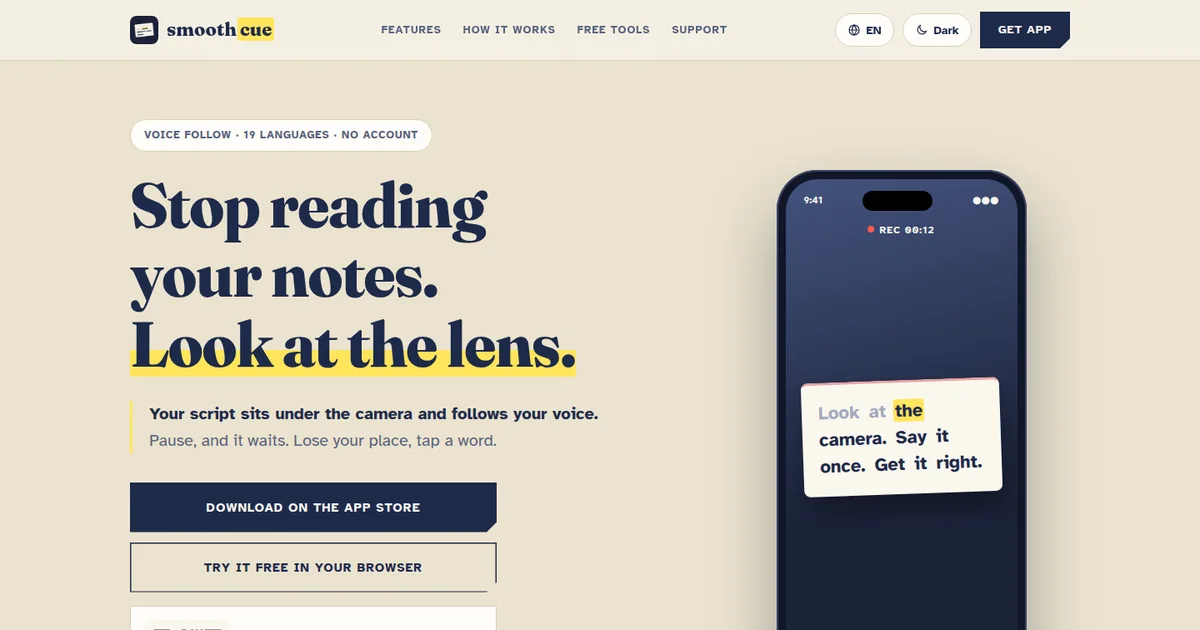
SmoothCue is a teleprompter for iPhone that scrolls your script at the pace of your voice while you record video.
- 3 takesfree, with every feature
- 19voice tracking languages
- The text moves only when you speak, so you never chase the script
- No account, and scripts and recordings stay on your iPhone
- Video and sound are recorded together and saved straight to Photos
- Pricing
- Freemium
- Platforms
- iOS, Web
- Category
- Productivity Tools
- Website
- smoothcue.app
- Last checked
What it does
SmoothCue is a teleprompter for iPhone. It shows your script right under the camera on cue cards, and the text moves with your speech. It is made for anyone who reads to the camera, such as speakers, singers and people who record their own videos.
The app listens while you read. It uses Apple's speech recognition to find the word you just said and moves the highlighter to it. When you stop talking, the text stops too. Recognition runs on the device when the language is installed on your iPhone, and voice tracking covers 19 languages.
How it works
- Paste your script from Notes, a document or a chat app, or import a text file.
- Split it into cue cards. Each paragraph becomes a card that you can reorder.
- Tap record. The take is saved to Photos with the sound in sync.
Good to know
The app records with the iPhone camera, and you can connect an external microphone, wired or wireless. No account is needed, and scripts stay on your iPhone. A tap on any word moves the text back to where you are, without stopping the recording. A separate free online teleprompter runs in the browser for laptops and desktops.
Who it's for
People who read a script to the camera, such as speakers, singers and video makers
Typical uses
- Rehearse a talk or speech with the prompter alone
- Read a script to the camera without losing your place
- Record a video with a script under the camera on an iPhone
Features
- Shows the script under the camera on cue cards
- Scrolls the text at the pace of your voice
- Stops the text when you stop speaking and resumes when you speak
- Records video and sound in sync and saves the take to Photos
- Lets you reorder and share cue cards
- Supports front or back camera in portrait or landscape
Pricing
Freemium
The first three takes are free with every feature. After that, unlock the app with a one-time purchase or a yearly plan. See the product's website for current plans and pricing.
Limitations
- The app runs on iPhone only.
- After the first three takes, the app needs a one-time purchase or a yearly plan.
FAQ
Is SmoothCue free?
Partly. The first three takes are free with every feature. After that, you need a one-time purchase or a yearly plan.
Does SmoothCue need an account?
No. There is no sign-up and no email. You open the app and paste your script.
Can SmoothCue see my scripts?
No. Scripts stay on your iPhone.
Can I use an external microphone?
Yes, wired or wireless. Connect it before you open the prompter.