

SigBatch
Email signatures for the whole team, from a CSV
At a glance
SigBatch is a bulk email signature generator that turns a staff CSV into matching signatures for Gmail, Outlook and Apple Mail.
- Freefree single signatures
- 19 GBPone-time, unlimited rows
- Staff list is processed in the browser and not sent to SigBatch servers
- One-time price with no per-seat subscription
- 7 email-safe designs and an install guide in the download ZIP
Works with GmailOutlookApple Mail
- Pricing
- Freemium
- Platforms
- Web
- Category
- Productivity Tools
- Website
- sigbatch.com
- Last checked
What it does
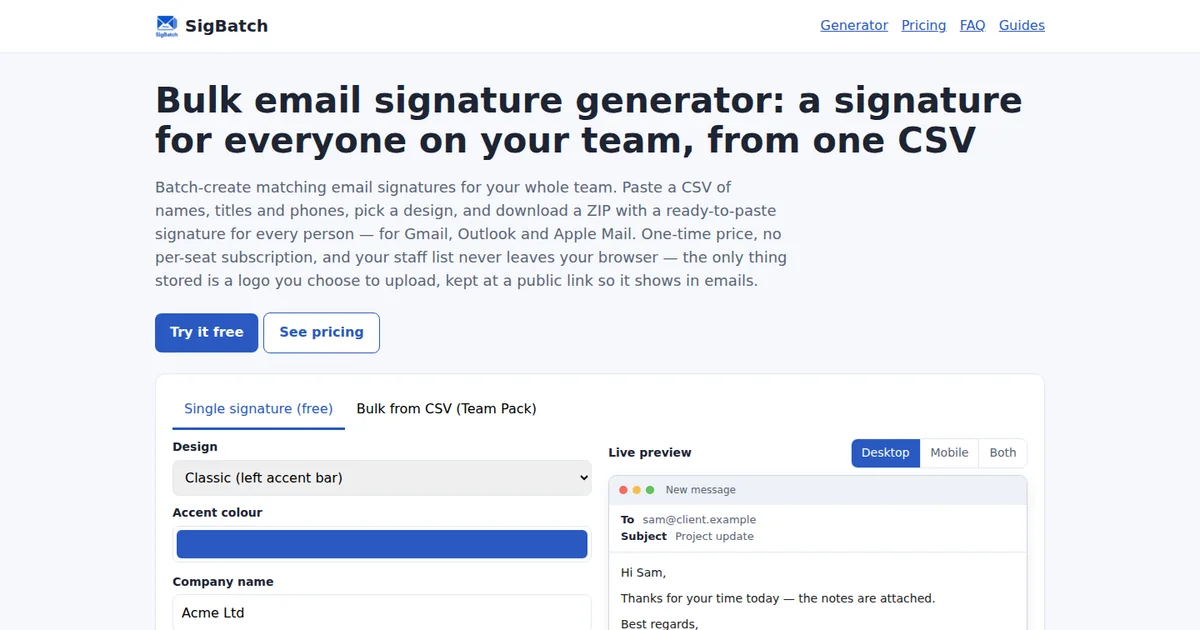
SigBatch is a bulk email signature generator for teams. You export your staff list as a CSV file, choose a design, and get one ready-to-paste signature for every person, with name, title, phone numbers and social links. The signatures are built for Gmail, Outlook and Apple Mail.
The main reason to use it is consistency. When each person edits their own signature, fonts, phone numbers and logos drift apart over time. Generating everything from one file gives the whole company one design, one logo and one legal footer.
How it works
- Export the staff list from Excel, Google Sheets or your HR tool as a CSV with name, title, email and phone columns.
- Pick one of seven email-safe designs, an accent colour and a logo, then preview the result on desktop and mobile.
- Download a ZIP with one HTML file per person and a step-by-step install guide.
What happens to your data
The CSV is processed in your browser and is not sent to the SigBatch servers. The only thing stored is a logo, and only if you upload one. Uploaded logos are public, so anyone with the link can see them.
Good to know
- Each person still pastes their own signature into their mail app. Nothing is pushed into mailboxes.
- Single signatures are free. Bulk mode needs the one-time Team Pack once a file has more than 3 rows.
Who it's for
Companies that want matching email signatures for every staff member
Typical uses
- Give every staff member matching signatures from one spreadsheet
- Roll out a new logo or legal footer to the whole company in one go
- Create signatures for new hires by adding a row to the staff list
Features
- Creates one HTML signature per person from a CSV file
- Offers seven designs with an accent colour and optional social icons
- Takes a logo from a public link or an uploaded file
- Sets a legal footer once for the whole company
- Shows desktop and mobile previews before download
- Downloads a ZIP with one file per person and an install guide
Pricing
Freemium
Single signatures and bulk mode for up to 3 rows are free. The Team Pack costs 19 GBP once, VAT included, for unlimited rows, with a 14-day refund and no subscription.
Limitations
- Signatures are not installed into mailboxes or synced with a staff directory
- Uploaded logos are public, so anyone with the link can see them
FAQ
Is SigBatch free?
Single signatures are free, and bulk mode is free for up to 3 rows. Unlimited rows need the Team Pack at 19 GBP once, with a 14-day refund.
Does SigBatch install signatures in Microsoft 365 or Google Workspace?
No. Each person or an admin pastes the signature in. Centrally applied signatures need a signature management platform.
Is my staff list uploaded to SigBatch?
No. The CSV is processed in your browser. Only a logo is stored, and only if you upload one.
Which email apps are the signatures made for?
They are table-based HTML with inline styles for Gmail, Outlook and Apple Mail. Send yourself a test email first, because rendering varies slightly between clients.