

Safetensors Studio
View and edit safetensors model files in a browser
At a glance
Safetensors Studio opens, edits and converts safetensors model files in the browser, without uploading them.
- Freeruns in browser
- No uploadfiles stay local
- Reads only the JSON header on open and loads tensor values on demand
- Nothing is sent to a server, because the browser reads the file
- Converts several model formats into safetensors in one place
Works with PyTorchNumPyGGUF
- Pricing
- Free
- Platforms
- Web
- Category
- Developer Tools
- Website
- safetensors-studio.pages.dev
- Last checked
What it does
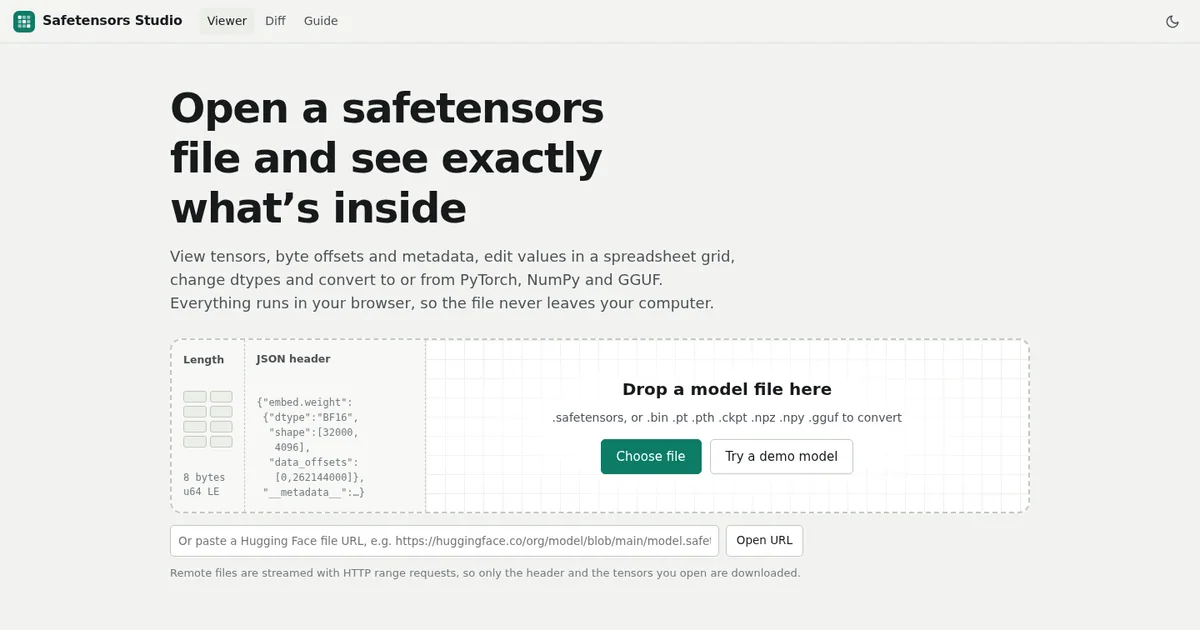
Safetensors Studio is a browser tool for people who work with AI model files. It opens a safetensors file, shows its tensors and metadata, and lets you edit values without installing software.
The tool is built for large files. Only the JSON header is read on open, and tensor values load as you scroll. Nothing is sent to a server, because the browser reads the file directly.
How it works
- Open a safetensors file in the browser.
- Inspect tensors with their byte offsets, or edit values in a spreadsheet-style grid.
- Convert data types such as F32, F16, BF16 or FP8, and export the result.
What makes it different
The tool also converts PyTorch, NumPy and GGUF files to safetensors. It exports back to .npz, .npy and PyTorch .pt files, and it compares two files and computes hashes. A metadata viewer and editor lets you change the file's metadata as well, and tensor values can be edited directly in the grid.
Good to know
- The tool requires JavaScript.
- Conversion starts from .bin, .pt, .ckpt, .npz, .npy and .gguf files, so other formats are out of scope.
- Regex renaming changes tensor names in bulk, so check the result before you export.
Who it's for
Developers and researchers who work with AI model weight files
Typical uses
- Check the dtype and size of tensors before loading a model
- Convert a PyTorch checkpoint to safetensors
- Rename tensors in a model file with a regex
Features
- Shows safetensors headers with byte offsets
- Edits tensor values in a spreadsheet-style grid
- Changes data types such as F32, F16, BF16 and FP8
- Renames tensors with regular expressions
- Converts .bin, .pt, .ckpt, .npz, .npy and .gguf to safetensors
- Exports to .npz, .npy and PyTorch .pt
- Compares two model files
Pricing
Free
Free to use. The app runs in the browser and is listed at 0 USD.
Limitations
- Requires JavaScript, so it does not run with scripts turned off
- Conversion covers only the input formats .bin, .pt, .ckpt, .npz, .npy and .gguf
FAQ
Is Safetensors Studio free?
Yes. The app runs in the browser and is listed at 0 USD.
Are my model files uploaded?
No. The browser reads the files directly, and nothing is sent to a server.
Can it convert PyTorch files to safetensors?
Yes. It converts .bin, .pt and .ckpt files, along with .npz, .npy and .gguf files, to safetensors.
Does it work with very large files?
It reads only the JSON header on open and loads tensor values as you scroll.