

Quill AI
Client call notes, plans and SOWs in one place
At a glance
Quill AI is an AI notetaker and document workspace for client services firms that writes call recaps and drafts statements of work.
- Freeplan, no card
- 40 USD/moPro plan from
- Documents follow your own templates, master decks and wording
- Every AI edit arrives as a suggestion you accept or reject
- Call notes, plans and documents stay together in one client workspace
Works with Claude Codeclaude.aiClaude Desktop
- Pricing
- Freemium
- Platforms
- Web
- Category
- AI Productivity Tools
- Website
- quillai.app
- Last checked
What it does
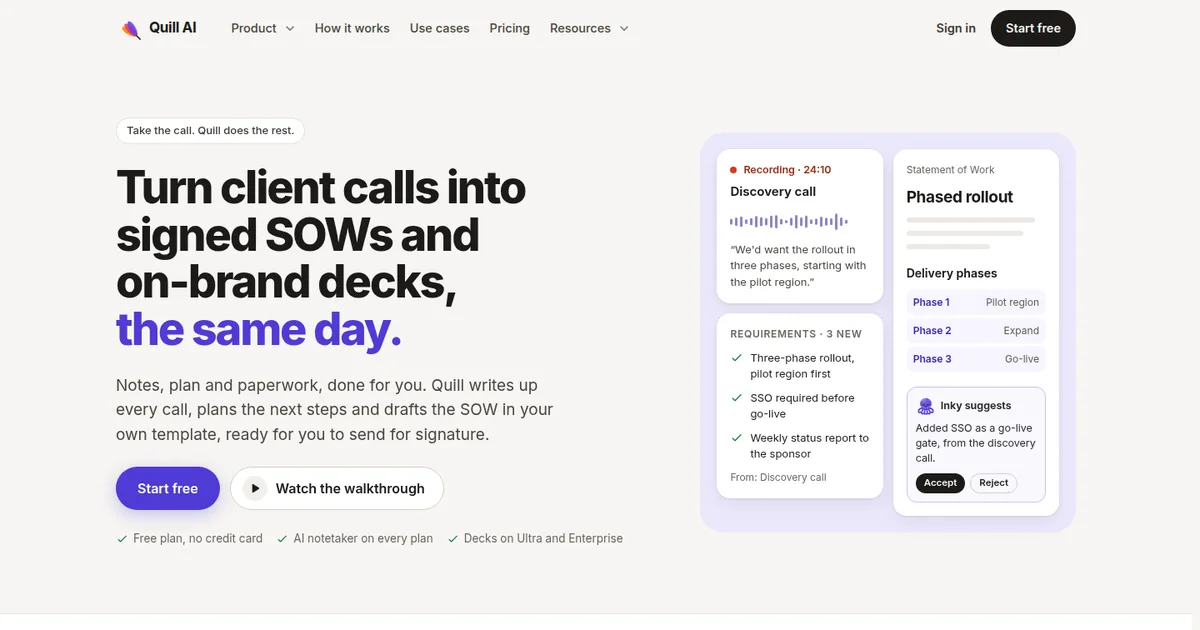
Quill AI is a workspace for consultants, agencies and other client services firms. It records and writes up client calls, plans the next steps and drafts the paperwork that follows, such as a statement of work.
Meetings, projects and documents for each client stay together. A recap of a discovery call can become a task list, and the same notes can feed a proposal or a status deck.
How it works
- Let Autopilot join the meetings you choose. It writes the recap and files it under the right client.
- Turn the recap into a plan with owners and dates, in board, calendar or Gantt views.
- Draft a statement of work in your own template, then send it for e-signature from the same workspace.
What makes it different
Quill fills your own templates instead of generic ones. Upload a company master deck, and it keeps your layouts, fonts and colors while it fills the slides from your meetings. An AI teammate called Inky suggests edits, and you accept or reject each change.
Good to know
- PowerPoint decks are part of the Ultra plan.
- Claude integration is included in the Pro and Ultra plans.
- Enterprise plans are priced on request and include custom integrations.
Who it's for
Consultancies, agencies and productized service firms that sell projects to clients
Typical uses
- Turn a discovery call into a statement of work for signature
- Draft a technical design from a Claude Code session
- Prepare a QBR deck from meeting notes
Features
- Writes call recaps and files them under each client
- Turns meeting notes into tasks with board, calendar and Gantt views
- Drafts statements of work and proposals in your own templates
- Sends documents for e-signature with a signing order and reminders
- Fills PowerPoint decks from your own master on the Ultra plan
- Connects Claude Code, claude.ai and Claude Desktop to the workspace
Pricing
Freemium
Free plan with 5 sessions and 2 documents a month, and no credit card needed. Pro costs 40 USD a month and Ultra costs 90 USD a month.
Limitations
- The free plan includes 5 sessions, 2 documents and one signature envelope a month
- PowerPoint decks need the Ultra or Enterprise plan
- The Claude connection is part of the Pro and Ultra plans
FAQ
Is Quill AI free?
Yes, to start. The free plan includes 5 sessions and 2 documents a month and needs no credit card. Pro costs 40 USD a month.
Does Quill AI work with Claude?
Yes. On the Pro and Ultra plans you can connect Claude Code, claude.ai or Claude Desktop, and Claude sends Quill the context for a document.
Can I use my own document templates?
Yes. You can turn a document you already trust into a template, and Quill drafts new documents from it.
Can clients sign documents in Quill AI?
Yes. Quill sends documents for e-signature with a signing order and reminders, and everyone receives the signed PDF.