

Phoenix Webcam
No new camera to buy, no drivers
At a glance
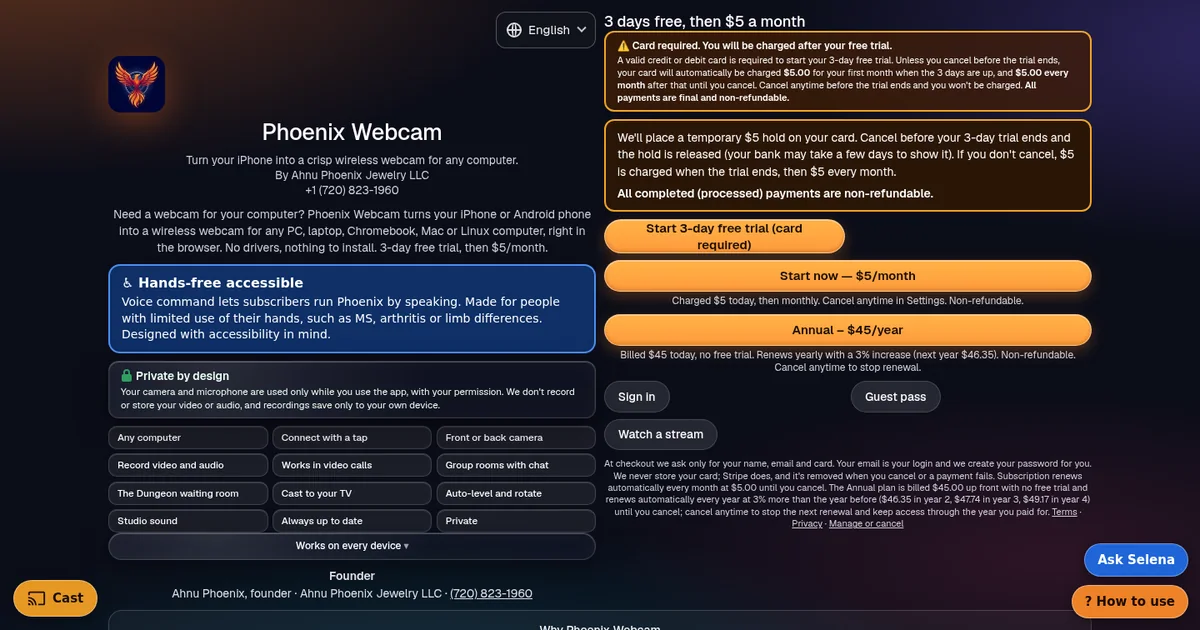
Phoenix Webcam turns an iPhone or Android phone into a wireless webcam in the browser, for video calls, online classes and streaming.
- 5 USDper month after trial
- 3 daysfree trial, card needed
- Uses a phone you already own as the camera, with no new hardware
- Recordings save only to your own device, and guests see a Recording sign
- Live captions are translated into your language in supported browsers
Works with ZoomGoogle MeetMicrosoft TeamsOBS
- Pricing
- Paid
- Platforms
- Web, iOS, Android
- Category
- Productivity Tools
- Website
- ahnuphoenixwebcam.com
- Last checked
What it does
Phoenix Webcam is a browser webcam for video calls. It uses the camera of an iPhone or Android phone as the camera of a PC, Mac, Chromebook or Linux computer, with no driver to install.
Both devices open the app in a browser. They find each other on the same Wi-Fi, or over any connection when both are signed in to the same account. The front or back camera can be used, and the phone's microphone can be sent too.
How it works
- Open the app in a browser on your phone and on your computer.
- On the computer, tap the option for this screen; on the phone, tap the option for this phone.
- Tap Send my camera on the phone, then tap Yes on the computer.
Beyond a single call
Group rooms put several phones into one grid with a text chat, and a waiting room lets you accept or decline each guest. The picture can be cast to a TV with Google Cast or AirPlay, and in a call the window can be shared into Zoom, Google Meet or Microsoft Teams.
The video passes between your devices and is not stored by the service. Recordings save only to your own device.
Good to know
- The free trial needs a card, and payments are not refundable.
- Watching someone else's stream needs a subscription.
Who it's for
People who need a better camera on a PC, Mac, Chromebook or Linux computer
Typical uses
- Replace a weak laptop camera for video calls
- Stream or record from a phone on a computer without extra hardware
Features
- Uses an iPhone or Android phone as the camera in the browser
- Connects two devices with a tap, with no codes to type
- Switches between the front and back camera
- Puts several phones into one group room with text chat
- Casts the picture to a TV with Google Cast or AirPlay
- Shows live captions translated into your language
Pricing
Paid
A 3-day free trial that needs a card is followed by 5 USD a month, or 45 USD a year with no trial. Payments are not refundable.
Limitations
- Watching someone else's stream needs a subscription
- The free trial needs a card, and payments are not refundable
- Works only in supported browsers with camera access, such as Chrome, Safari, Edge, Firefox or Samsung Internet
FAQ
Is Phoenix Webcam free?
There is a 3-day free trial, but it needs a card. After the trial it costs 5 USD a month, or 45 USD a year with no trial.
Do I need to install drivers?
No. It runs in the browser with no drivers and no app store download. You can add it to your home screen from the website.
Is my video recorded or stored?
No. The video passes between your devices, and recordings save only to your own device.
Can I cancel during the free trial?
Yes. Cancel before the 3-day trial ends and you are not charged; the temporary 5 USD hold on the card is released.