

PDF to QBO
Turn PDF bank statements into QBO files for QuickBooks
At a glance
PDF to QBO converts PDF bank statements into QBO files that QuickBooks Online can import, for people who keep their books there.
- 3-dayFree trial, no card
- $7.50Starter per month
- 150Conversions a month
- Built only for converting PDF bank statements to QuickBooks Online
- Preview of extracted transactions before the file is created
- Starter plan includes batch conversion of several PDFs
Works with QuickBooks OnlineChaseU.S. Bank
- Pricing
- Paid
- Platforms
- Web
- Category
- Finance & Invoicing Tools
- Website
- pdf-to-qbo.com
- Last checked
What it does
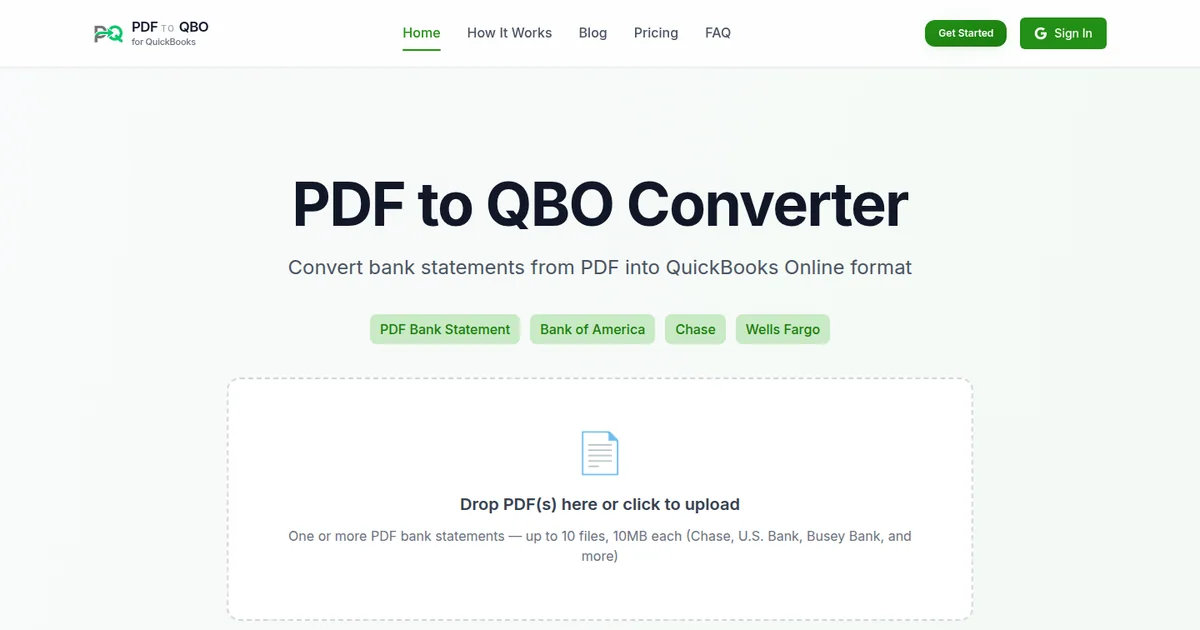
PDF to QBO is a web tool that converts bank statement PDFs into QBO files, the format that QuickBooks Online imports directly. Banks usually send statements as PDFs, but QuickBooks needs structured transaction data. Instead of typing each line by hand, you upload the statement and get a file you can import.
The tool reads the date, description and amount of each transaction and sets debits and credits with the correct sign. Chase and U.S. Bank statements are named as supported. Other banks can work when the statement layout matches the parser.
The Starter plan allows 150 conversions a month at up to 10 per minute. The Professional plan raises the monthly limit to 300 conversions, runs 30 per minute and adds webhook notifications. Email support is included on both paid plans.
How it works
- Sign in, because converting requires an account.
- Upload a text-based PDF of your bank statement.
- Preview the extracted transactions before you convert.
- Download the QBO file and import it into QuickBooks Online.
Good to know
Scanned image PDFs may need OCR, which is an advanced feature. Text-based statements give the most reliable results.
The Starter plan includes batch conversion, so several statements can be converted at once.
Who it's for
Bookkeepers and business owners who work in QuickBooks Online
Typical uses
- Import a month of bank statements into QuickBooks Online without typing each transaction
- Bring a Chase or U.S. Bank statement into a client's books in a few minutes
Features
- Converts bank statement PDFs into QBO files
- Shows extracted transactions in a preview before conversion
- Sets debits and credits with the correct sign
- Supports Chase and U.S. Bank statement layouts
- Batch conversion of several PDFs on the Starter plan
- Imports the result directly into QuickBooks Online
Pricing
Paid
Starter costs 7.50 USD a month or 90 USD a year and includes 150 conversions a month. Professional costs 14.50 USD a month or 174 USD a year and includes 300 conversions a month.
Limitations
- There is no free plan, only a 3-day free trial. Converting requires a signed-in account.
- Chase and U.S. Bank are the named supported banks. Other banks work only when the layout matches.
- Scanned image PDFs may need OCR, which is an advanced feature.
FAQ
Is PDF to QBO free?
There is no free plan. A 3-day free trial starts without a credit card, and paid plans begin at 7.50 USD a month.
Which banks does PDF to QBO support?
Chase and U.S. Bank statements are supported directly. Other banks may work when the statement layout matches the parser.
Does PDF to QBO store my financial data?
Conversions are processed securely and are not sent to third parties. A routing number you enter is saved only in your browser.
Can I convert scanned PDFs?
It works best with text-based PDFs. Scanned image PDFs may need OCR, which is an advanced feature.