

PathProbe
Command-line network tester for DHCP, VLANs and links
At a glance
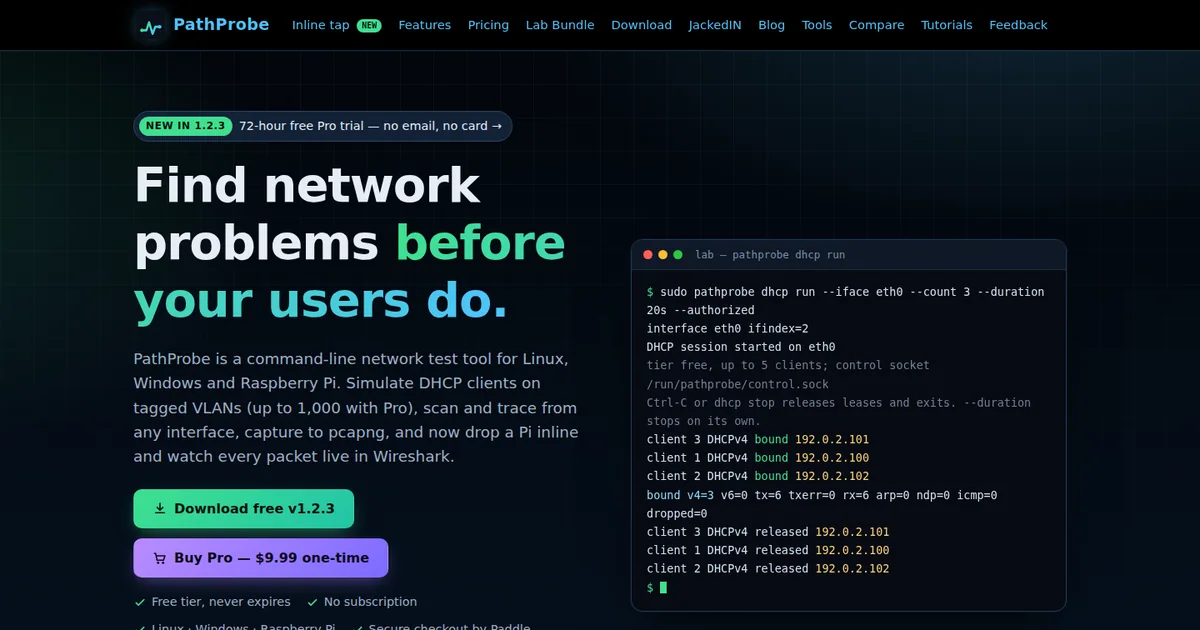
PathProbe is a command-line network test tool for Linux, Windows and Raspberry Pi. It simulates DHCP clients, tests VLAN tags and checks link speed and internet access.
- $0Free plan with no expiry
- $9.99one-time Pro license
- Tests DHCP, VLAN and link behavior from one small binary
- Pro is a one-time purchase with no subscription
- Prints JSON output that scripts and AI agents can read
Works with Wireshark
- Pricing
- Freemium
- Platforms
- Linux, Windows, CLI
- Category
- Developer Tools
- Website
- getpathprobe.com
- Last checked
What it does
PathProbe checks a network from the command line. It simulates DHCP clients with custom MAC addresses to test a server, relay or address pool. It can also run traffic on a single 802.1Q VLAN tag and report link speed, traceroute and internet access from the same machine.
A network often looks fine until one specific part fails. PathProbe lets you test that part with a short command. Free and Pro both print JSON for scripts.
DHCP and VLAN tests
The Free plan simulates up to 5 DHCP clients. Pro raises this to 1,000 clients and adds QinQ, which stacks two VLAN tags. Each simulated client can use its own MAC address, so you can count how many leases a port or pool hands out.
Inline tap on Linux and Raspberry Pi
Pro includes an inline pass-through tap. It needs two USB Ethernet adapters, while the built-in network card stays on management. Traffic can stream live into Wireshark or be saved as a pcapng capture.
Automation
Pro adds saved test profiles with export, scheduled runs with webhook alerts, live JSON events and an MCP server, so an AI agent can run PathProbe tests.
Use it on networks you are allowed to test
The DHCP command only runs with the --authorized flag, which confirms that you own the network or may test it. PathProbe works best for admins who already know the command line, because there is no graphical interface and every command is typed.
Who it's for
Network engineers, field technicians, students and home lab owners who work from a command line
Typical uses
- Check whether a DHCP server keeps handing out addresses under load
- Confirm that a trunk or relay passes tagged VLAN traffic end to end
- Count how many clients a switch port accepts before port security blocks them
- Practice troubleshooting in a home lab or for CCNA and CompTIA labs
Features
- Simulates DHCPv4 and DHCPv6 clients with custom MAC addresses
- Tests VLAN tagging on a single 802.1Q tag
- Adds a stacked second VLAN tag with QinQ in Pro
- Streams live traffic to Wireshark through an inline tap in Pro
- Scans subnets and traces routes
- Checks link speed, internet access and the public WAN address
- Prints JSON output that scripts can read
Pricing
Freemium
Free forever, with all core commands and up to 5 DHCP clients. Pro is a one-time $9.99 license for one computer. A computer without a license gets a 72-hour Pro trial.
Limitations
- Command-line only, with no graphical interface
- The inline tap needs Linux or Raspberry Pi, two USB Ethernet adapters and a Pro license
- A Pro license covers one computer and cannot be transferred
- No Mac version yet, though one is planned
FAQ
Is PathProbe free?
Yes. The Free plan costs $0 and does not expire. It includes all core commands and simulates up to 5 DHCP clients. Pro costs $9.99 as a one-time purchase.
Does PathProbe have a graphical interface?
No. PathProbe is command-line only. It runs from a Linux shell, or from Administrator Command Prompt or PowerShell on Windows.
Can I try Pro before buying?
Yes. A computer with no license gets a 72-hour Pro trial. No email address or card is needed.
Can I use PathProbe on a Mac?
Not yet. A Mac version is coming soon. Today PathProbe runs on Linux, including Raspberry Pi, and on 64-bit Windows 10 and 11.