

Ondago
Keep an AI coding session going across agents and devices
At a glance
Ondago is a workspace for developers who use AI coding agents. It moves a coding session between Claude Code, Codex, Copilot CLI, OpenCode and Antigravity CLI, and between laptop and cloud.
- 5supported agents
- $0Personal plan
- Continue a session in another coding agent without re-explaining the task
- Move work between laptop, cloud and phone, and back
- Reviewer and test agents give feedback, and you decide what moves on
Works with Claude CodeCodexGitHub Copilot CLIOpenCodeAntigravity CLI
- Pricing
- Freemium
- Platforms
- Web, macOS, Windows, Linux
- Category
- Developer Tools
- Website
- ondago.ai
- Last checked
What it does
Ondago is a workspace for developers who run AI coding agents and want a task to keep going when the agent, the machine or the person changes. A session started in one tool can be continued in another, so the plan, the decisions and the code changes already made do not have to be explained again.
Switching agents and places
Ondago supports Claude Code, Codex, GitHub Copilot CLI, OpenCode and Antigravity CLI. When you move a session from Claude Code to Codex, for example, the conversation, the project state and compatible settings such as project instructions come along. Information only one agent understands, such as its internal reasoning state, does not transfer. Ondago shows the differences before you switch.
You can start a session on your computer, move it to the Ondago cloud environment and bring it back later, or start in the cloud directly. A mobile web app lists running sessions, shows which ones need your input and lets you pick up the work from your phone. Your local project files stay on your computer. If you keep editing locally while the cloud session runs, the two copies can diverge and merging them may take some work.
Working with several agents
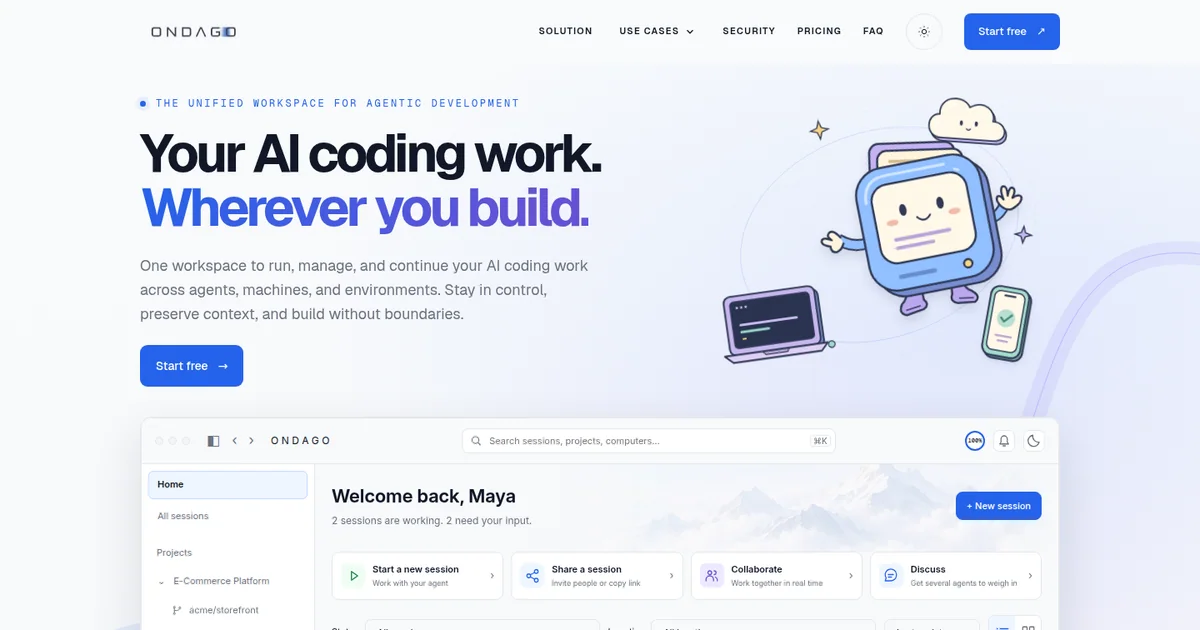
Agent Collaboration brings a code reviewer, a security advisor or a test agent into the same task. They read the shared context and give feedback. You choose what goes to your primary agent, and that agent makes the changes. A workspace view lists your projects and sessions with their status, such as working, needs you or finished.
Security
Session bundles are encrypted on your device before upload. When an agent runs in the cloud, that environment must read the decrypted project files and the credentials you supply for the session.
Who it's for
Developers and small teams who use several AI coding agents
Typical uses
- Continue a half-finished task in a different coding agent without re-explaining it
- Start a task on your laptop, let it run in the cloud and check it from your phone
- Ask a reviewer agent and a test agent for feedback before the main agent changes code
- Keep every coding project and its sessions in one overview
Features
- Continue a session in Claude Code, Codex, Copilot CLI, OpenCode or Antigravity CLI
- Move a session between your computer and the Ondago cloud, and back
- Mobile web app to check running sessions and pick up work from a phone
- Agent Collaboration: reviewer, advisor and test agents give feedback to your main agent
- Project and session overview with status: working, needs you or finished
- Session bundles are encrypted on your device before upload
Pricing
Freemium
Free / Personal is $0 for personal use, with 3 hours of cloud runtime a month and one cloud session at a time. Pro is $10 a month and Team is $20 per user a month, and both are coming soon.
Limitations
- Only compatible context moves between agents. Hidden agent state and incompatible tools do not transfer.
- A cloud session needs access to the decrypted project files and the credentials you supply.
- Editing locally while a cloud session runs can leave two diverging copies that need merging.
- Session sharing with teammates is available on request.
FAQ
Which coding agents does Ondago support?
Claude Code, Codex, GitHub Copilot CLI, OpenCode and Antigravity CLI. A session moves to another agent with its conversation, project state and compatible settings.
Is Ondago free?
Yes, there is a free Personal plan at $0. Agent Collaboration is included in the free plan and in all other plans.
Can Ondago see my source code?
Saved session bundles are encrypted on your device before upload, and Ondago's storage service does not hold the keys to read them. A cloud session is the exception, because the cloud environment must read the project files to run the agent.
What happens to uncommitted changes when I move a session?
Ondago can capture supported uncommitted changes, so you do not have to commit unfinished work. What is included depends on your capture settings. Keeping important work under version control is still recommended.