
Mochi Reader
Read foreign pages and comics in your language
At a glance
Mochi Reader is a web browser for iPhone and Mac that translates websites, PDFs and comics into your language as you read.
- 50Mochi AI credits a day
- Translates speech bubbles with the whole page as context
- Images stay on the phone, and no account is needed to read
- Reopened pages are cached on the device and use no credits
- Pricing
- Freemium
- Platforms
- iOS, macOS
- Category
- Productivity Tools
- Website
- mochireader.com
- Last checked
What it does
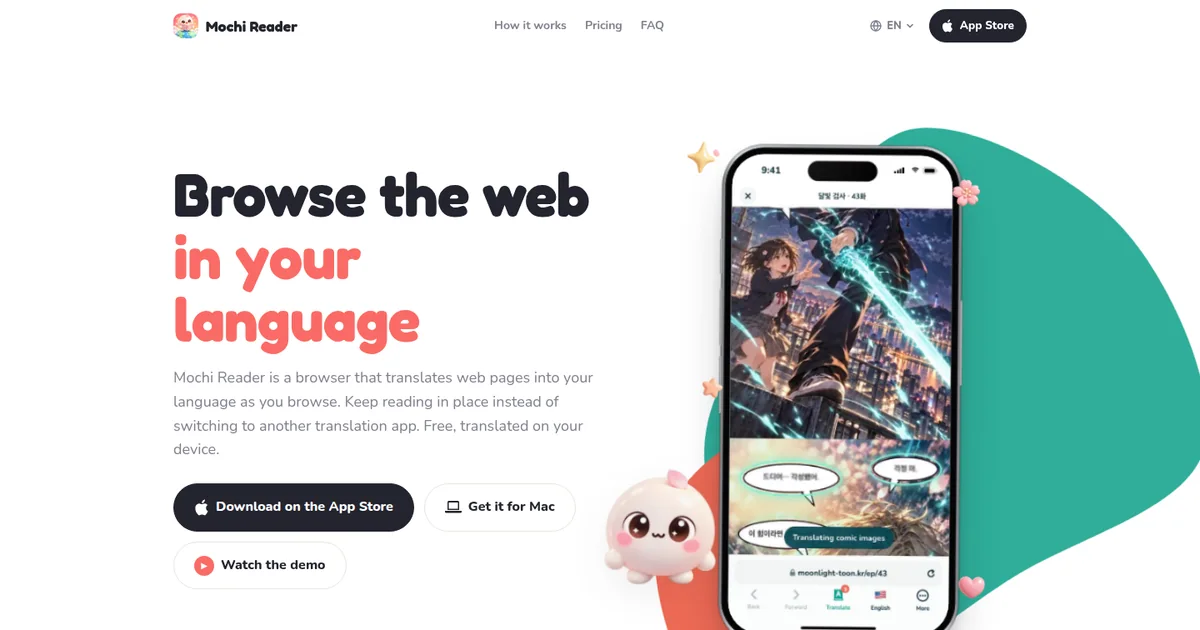
Mochi Reader is a web browser for iPhone and Mac. It translates the text of a page into your language while you read, so you can stay on the page instead of copying text into another app.
Pages, PDFs and comics
Turn on page translation and each paragraph changes as you scroll. Webtoons, manga and manhua get the same treatment. Mochi reads the text inside each speech bubble and redraws the translation to fit the bubble, keeping its background and text colors. Hold a bubble to see the original, or long-press it to edit the text.
PDF files from Files or iCloud Drive are translated page by page, including the text in figures. Photos from your library work too, so a menu or a street sign is translated in place.
How the translation works
The free version uses Apple's translator, which runs on your device. Mochi AI is an optional layer for comic speech bubbles. It translates each bubble with the whole page as context, which makes the dialogue read more naturally. Translated pages are cached on the device, so rereading a page uses no credits.
Good to know
Mochi reads horizontal text well. Vertical columns in Japanese and Chinese comics are not yet reliable on every iPhone. The app needs iOS 18 or macOS 15, and loading web pages needs an internet connection.
Who it's for
Readers of foreign-language webtoons, news, web novels and documents who read on an iPhone or Mac
Typical uses
- Read a Korean or Japanese news site in English
- Follow a foreign webtoon or manga in your own language
- Translate a foreign manual or textbook page by page
Features
- Translates web pages in place as you scroll
- Translates speech bubbles in webtoons, manga and manhua
- Translates PDF files from Files or iCloud Drive page by page
- Translates text in photos from your library
- Caches translated pages on the device for instant rereading
- Shows the original text when you hold a bubble
Pricing
Freemium
Free to download, with web pages, PDFs and comics translated on the device at no cost. Pro costs $2.99 a week, $9.99 a month or $29.99 a year, at US App Store prices.
Limitations
- Vertical Japanese and Chinese text in manga and manhua is not yet read reliably on every iPhone.
- Handwriting, furigana and sound effects drawn over the art are read less reliably.
- Mochi AI sends speech-bubble text to an AI provider and needs an internet connection.
FAQ
Is Mochi Reader free?
Yes, the app is free to download. Web pages, PDFs and comics are translated on the device without a limit, and you get 50 Mochi AI credits every day for speech bubbles.
Does Mochi Reader need an account?
No. You can open the app and read without an account. Signing in with Apple only keeps Pro and bonus credits when you switch phones.
Are my images sent to a server?
No. Images stay on your phone. When Mochi AI translates a speech bubble, only the bubble text is sent to an AI provider.