

MeeLang
Live translated subtitles for Meet, Zoom, Teams and YouTube
At a glance
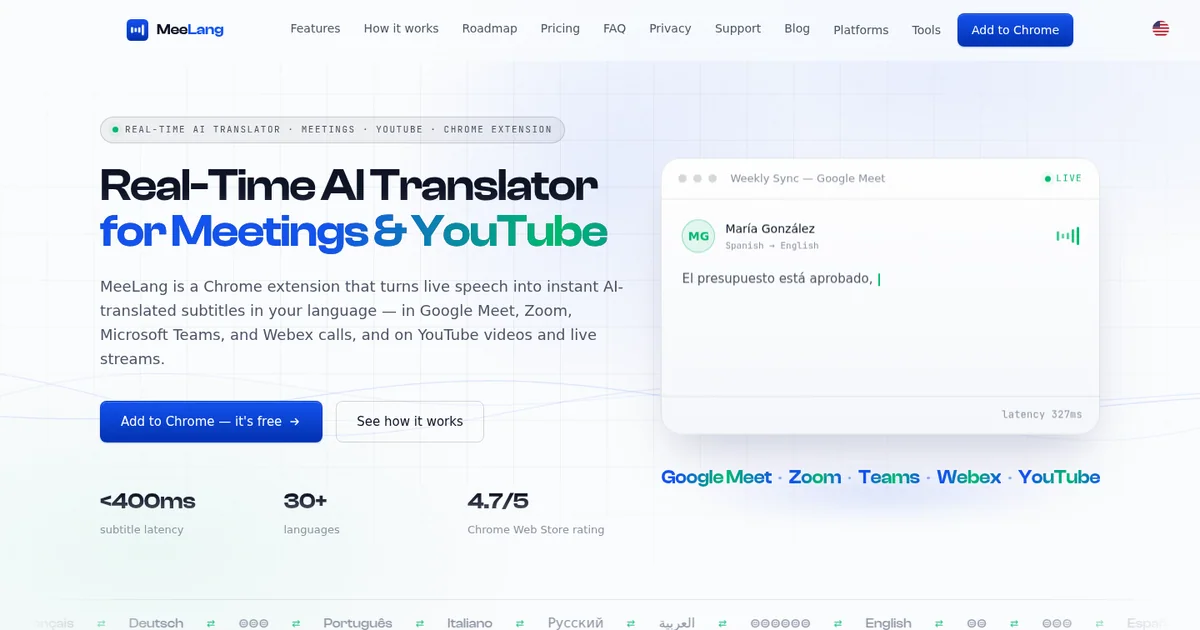
MeeLang is a Chrome extension that shows live AI translated subtitles for online meetings and YouTube videos, in the language you choose.
- 30+Target languages
- $9.99Pro per month
- 30Free minutes a month
- Subtitles follow you from a client call to a YouTube keynote
- No bot joins the meeting, and other participants install nothing
- Bilingual transcripts stay in your browser
Works with Google MeetZoomMicrosoft TeamsWebexYouTube
- Pricing
- Freemium
- Platforms
- Web
- Category
- AI Productivity Tools
- Website
- meelang.com
- Last checked
What it does
MeeLang is a Chrome extension that adds live subtitles in your language to online calls and videos. It works in Google Meet, in the web versions of Zoom, Microsoft Teams and Webex, and on YouTube videos and live streams.
The subtitles appear as a floating overlay on the page. You can follow a call in one language while the speaker uses another. MeeLang detects the spoken language on its own and translates into more than 30 languages. It picks up the audio right in the browser tab you already have open, so you do not switch apps to start it.
How it works
- Install the extension from the Chrome Web Store.
- Join a meeting in your browser, or open a YouTube video or live stream.
- Click Allow when Chrome asks for access, then read the live subtitles in your language.
What stays in your browser
No bot joins the call, and other participants need to install nothing. Bilingual transcripts are kept locally in your browser, where you can search, export or delete them at any time.
Plans
The free plan gives 30 translation minutes a month after you sign in with Google. The Pro plan gives 600 minutes a month for $9.99.
Who it's for
People who join international calls or watch foreign-language videos in Chrome
Typical uses
- Follow a client call in a language you do not speak
- Watch a lecture or product launch on YouTube with subtitles in your language
- Keep a searchable bilingual transcript of an international team meeting
Features
- Live translated subtitles in Google Meet
- Subtitles in the web versions of Zoom, Teams and Webex
- Translation of YouTube videos and live streams
- Automatic detection of the spoken language
- Bilingual transcripts you can search and export
- No meeting bot to invite
Pricing
Freemium
The free plan includes 30 translation minutes a month after you sign in with Google. The Pro plan costs $9.99 a month for 600 minutes.
Limitations
- Runs only inside Chrome, so Zoom, Teams and Webex must be joined in the browser.
- Native desktop apps and team cloud sync are not available yet.
- The free plan is limited to 30 translation minutes a month.
FAQ
Is MeeLang free?
Yes. The free plan gives 30 translation minutes a month after you sign in with Google. The Pro plan gives 600 minutes a month for $9.99.
Does MeeLang work with Zoom or Microsoft Teams?
Yes, in the web versions of Zoom, Teams and Webex. Join from Chrome, because the desktop apps are not supported yet.
Do other participants need to install anything?
No. MeeLang works only on your side of the call, and no bot joins the meeting.
Where are my transcripts stored?
Bilingual transcripts are kept locally in your browser, where you can search, export or delete them at any time.