

Koru
Notes and documents you can run offline
At a glance
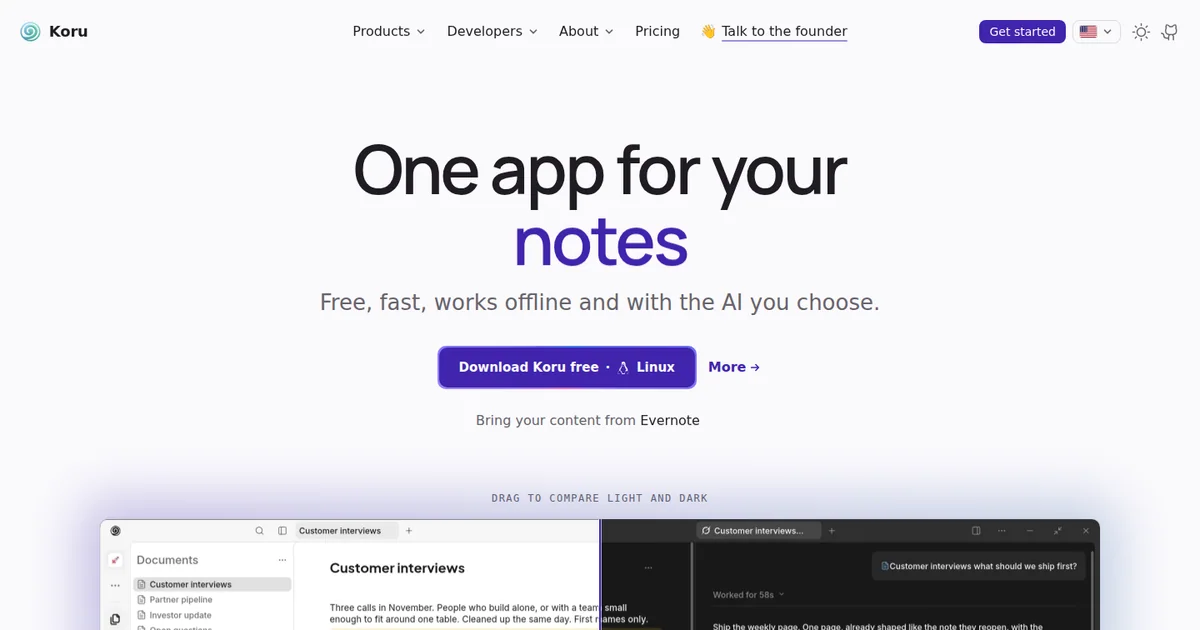
Koru is a free desktop app for notes, documents and files that works offline and lets you run your own AI agents as tabs.
- Freedesktop app download
- 3 systemsWindows, macOS, Linux
- Works offline, with documents kept on your device
- Your agents work on your documents through MCP
- Peer-to-peer sync works without a cloud account
- Code is public on GitHub, so you can build it yourself
Works with ClaudeCodexGeminiNotionEvernoteGoogle Docs
- Pricing
- Freemium
- Platforms
- Windows, macOS, Linux
- Category
- Productivity Tools
- Website
- koru.do
- Last checked
What it does
Koru is a desktop app for notes, documents and files. It works offline, and it lets you choose the AI that works with your documents. The app is free to download for macOS, Windows and Linux, and its code is public on GitHub.
Koru does not lock you into one AI model. You can open an agent such as Claude, Codex or Gemini as a tab beside the document it works on. The agents read and edit your workspace through Koru's local MCP server, so an agent can work on your notes without copying them out.
Voice and your own devices
Koru Voice runs speech recognition on your device, so your audio never goes to the cloud, and it works in Koru and in other apps where you can type. Sync between your devices runs peer to peer and end to end encrypted, without a cloud account.
Moving your notes in
If you use another notes app, you can import from Evernote, Notion, OneNote, Google Docs, Markdown and TextBundle. Koru has a separate import page for each source.
Good to know
The native apps run on Windows, macOS and Linux. Apps for iOS and Android are planned, and the app is available in English for now. Koru Cloud is in development. It will add an always-online copy of your workspaces for sync and backup.
Who it's for
People who want local notes and documents that work with their own AI tools
Typical uses
- Keep research notes on a laptop without a cloud account
- Ask an AI agent to edit a document you are writing
- Move notes from Evernote or Notion into one local workspace
Features
- Notes, documents and files in one desktop app
- Runs agents such as Claude, Codex and Gemini as tabs
- Local MCP server lets agents read and edit your workspace
- On-device voice dictation that works in other apps
- Peer-to-peer sync between devices, end to end encrypted
- Imports from Evernote, Notion, OneNote, Google Docs and Markdown
Pricing
Freemium
The desktop app is free to download and use, with no subscription. Koru Cloud, an always-online copy of your workspaces, is in development.
Limitations
- Apps for iOS and Android are planned but not yet available.
- The app is available in English for now, with more languages planned.
- Calendar integration and reminders are planned features.
FAQ
Is Koru free?
The desktop app is free to download and use, and Koru Voice is part of the free app. Koru Cloud, an always-online copy of your workspaces, is in development.
Can I use my own AI agent with Koru?
Yes. You can run Claude, Codex, Gemini and other supported agents as tabs, and connect them over MCP.
Is Koru open source?
Koru's code is public on GitHub, so you can read it, build it yourself and open issues or pull requests.
Does Koru work on phones?
Not yet. Native apps run on Windows, macOS and Linux, and iOS and Android apps are coming soon.