

imgtodo
Free online tools to compress and resize images
At a glance
imgtodo is a free online image editor for compressing, resizing, cropping and converting photos, with no account needed.
- Freeno account needed
- 20images per selection
- Most tools need no sign-up or software installation
- Batch tools handle up to 20 images in one selection
- Product image maker sets one canvas size for a whole set
- Works in the mobile browser on phones
- Pricing
- Free
- Platforms
- Web
- Category
- Design Tools
- Website
- imgtodo.com
- Last checked
What it does
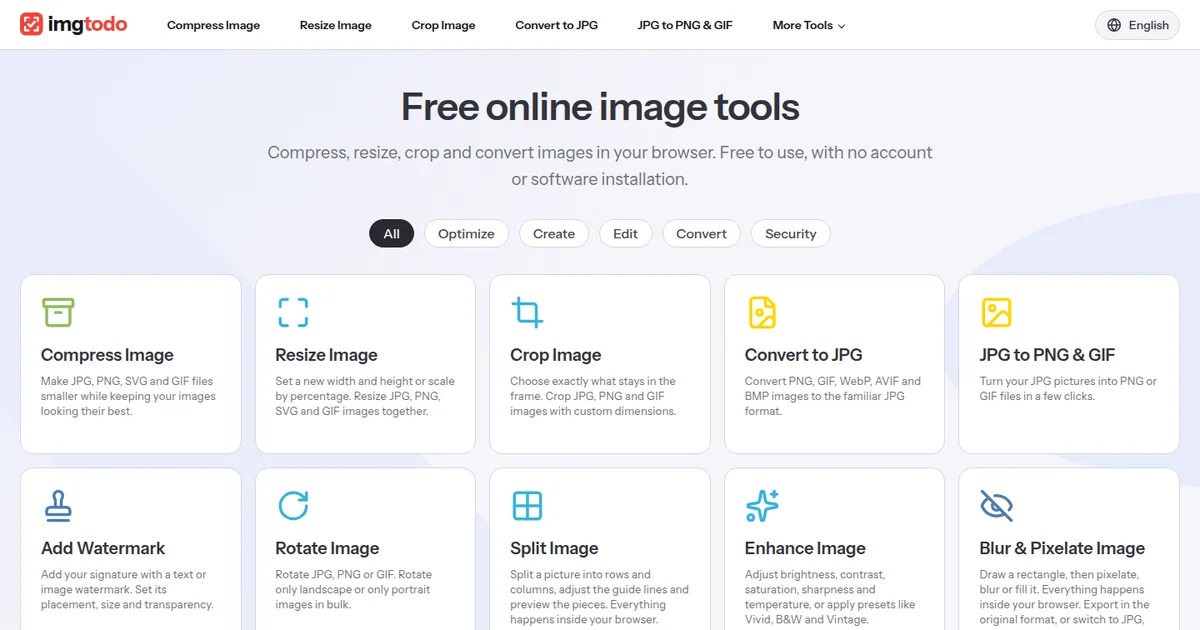
imgtodo is a set of free image tools for everyday jobs: making a photo smaller for a website, cutting it to size, or changing its format. You pick a tool, select your images, set the options and download the result. No account is needed.
What you can do
- Compress JPG, PNG, GIF and SVG files to reduce their size.
- Resize and crop images for a fixed size.
- Convert PNG, GIF, WebP, AVIF and BMP files to JPG.
- Build product images with one canvas size, background and padding, so a set of photos matches.
- Add watermarks and check the DPI of an image.
Batch work
Compression, resizing, conversion and rotation take up to 20 images in one selection. Compression accepts files up to 10 MB each and 100 MB per batch. Cropping, splitting and enhancement work on one image at a time.
Where your files go
Watermarking, splitting, enhancement and product image creation run in your browser. Compression, resizing, cropping, format conversion and rotation send your images to the server when you start processing.
Phones
The tools open in a mobile browser. Downloads go to the folder your browser uses for files, usually Downloads or Files. Automatic cutout in the product image maker works best with white or solid-colour backgrounds.
Who it's for
People who prepare images for websites, online shops and everyday use
Typical uses
- Shrink website photos before you upload them
- Convert WebP or AVIF images to JPG for an email or form
- Give a set of product photos the same size and background
Features
- Compresses JPG, PNG, GIF and SVG files
- Resizes and crops images
- Converts PNG, GIF, WebP, AVIF and BMP files to JPG
- Processes up to 20 images at once in batch tools
- Builds product images with one canvas size and background
- Adds watermarks and checks image DPI
Pricing
Free
The image tools are free to use, with no account or software installation required.
Limitations
- Compression accepts files up to 10 MB each and 100 MB per batch.
- Compression, resizing, cropping, conversion and rotation send your images to the server.
- Crop, split, enhance, censor and DPI checking work with one image at a time.
FAQ
Is imgtodo free to use?
Yes. The image tools are free, and you can start one without registering or installing an app.
Do my images leave my device?
Some tools run in your browser, including watermarking and product image creation. Compression, resizing and conversion send your images to the server when you start.
Which image formats can I use?
It depends on the tool. Compression takes JPG, PNG, GIF and SVG, and conversion to JPG takes PNG, GIF, WebP, AVIF and BMP.
Can I process several images at once?
Yes, for compression, resizing, conversion and rotation, with up to 20 images per selection.