

FlowBar
Buttons for the commands Claude Code asks for
At a glance
FlowBar is a Mac button bar for Claude Code that turns its prompts into one-tap buttons, with an iPhone app for remote approvals.
- Free trialto start
- One button answers each request that Claude makes
- Approvals from an iPhone, sealed with a key that only your devices hold
- A shared chat with Claude, Grok, Gemini and ChatGPT in one project
Works with Claude CodeGitHubVercelStripeSupabase
- Platforms
- macOS, iOS
- Category
- AI Coding Tools
- Website
- flowbar.dev
- Last checked
What it does
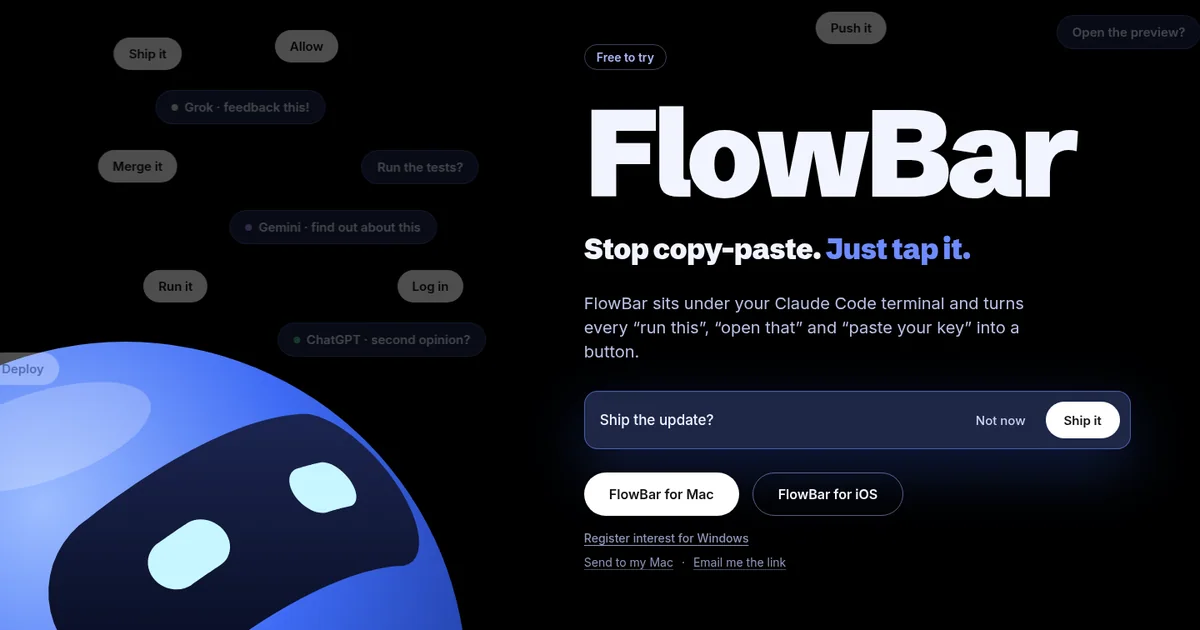
FlowBar is a button bar that sits under your Claude Code terminal. When Claude asks you to run a command, open a page or paste a key, the request appears as a button you press, not a line you copy and paste.
The same bar lists what your projects are waiting on, newest first. You can see which request needs an answer without scrolling back through the chat.
How it works
- Install FlowBar for Mac on the computer where Claude Code runs. The download is for macOS 13 or later, on Apple silicon and Intel.
- Keep working in the terminal. When Claude needs a decision, the matching action shows up as a button, such as Run it, Allow or Deploy.
- Install FlowBar for iOS to get the same buttons on an iPhone, sealed with a key that only your phone and your Mac hold.
What makes it different
FlowBar adds one shared chat to a project. You can tag Grok, Gemini or ChatGPT in the same thread, while Claude does the work in the project. The other models answer with your own keys, and their requests are sent straight from your Mac.
Good to know
- A Windows version is not available yet. You can register interest for it.
- Models other than Claude need their own API keys.
- Actions run on your Mac, so it must stay on and running for remote approvals.
Who it's for
Claude Code users who want fewer typed commands and copy-paste steps
Typical uses
- Approve a deploy from your phone while you are away from the desk
- Paste an API key into a project file without leaving Claude Code
- Ask several AI models about the same code in one thread
Features
- Turns Claude Code prompts into one-tap buttons
- Lists the commands and pages that Claude is waiting on
- Shows approval requests as lock-screen notifications on iPhone
- Chats with Claude, Grok, Gemini and ChatGPT in one project thread
- Offers one-click actions for tools such as GitHub, Vercel and Stripe
Pricing
See the product's website for current plans and pricing.
Limitations
- The Mac app needs macOS 13 or later
- No Windows version yet, only interest sign-up
- Models other than Claude need their own API keys
FAQ
Does FlowBar work with Claude Code?
Yes. FlowBar sits under your Claude Code terminal and turns requests into buttons. It runs on the Mac where Claude Code runs.
Is there a Windows version?
Not yet. You can register interest for Windows on the product's website.
Can I approve actions from my iPhone?
Yes. FlowBar Remote for iPhone shows the same buttons as a lock-screen notification, and the actions run on your Mac.
Do I need API keys for ChatGPT or Gemini?
Yes, if you use them in the shared chat. The other models answer with your own keys, and Claude does the work in the project.