

Ferrowick CSV Converter
Bank exports into Quicken and QuickBooks files
At a glance
Ferrowick CSV Converter is a one-file offline tool that turns bank and card exports into QIF, OFX or IIF files for accounting apps.
- 19 USDone-time payment
- 6output formats
- 14 daysrefund window
- Runs offline from one HTML file, with no account to create
- Writes OFX files with stable transaction IDs for clean re-imports
- Shows totals to compare with your statement before you export
- Lists rows it could not read instead of skipping them silently
Works with Quicken for WindowsQuickBooks DesktopQuickBooks OnlineGnuCashYNABActual Budget
- Pricing
- Paid
- Platforms
- Web, Windows, macOS, Linux
- Category
- Finance & Invoicing Tools
- Website
- ferrowick.pages.dev
- Last checked
What it does
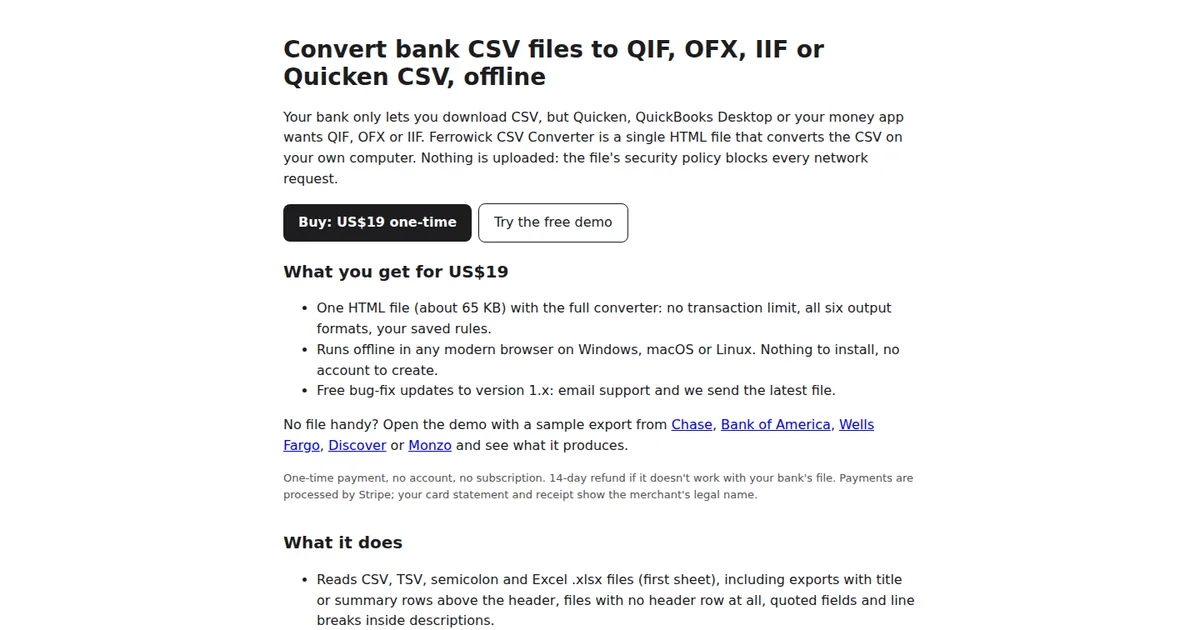
Ferrowick CSV Converter is a bank statement converter for people who keep their books in Quicken, QuickBooks or GnuCash. It reads the CSV, TSV or Excel export from a bank or card and writes it as QIF, OFX, IIF or the import format of another accounting app.
The converter is a single HTML file of about 65 KB. It runs offline in Chrome, Edge, Firefox or Safari on Windows, macOS or Linux, so nothing needs to be installed and no account is needed.
How it works
- Open the file and drop in the export from your bank.
- Check the preview, with the totals in and out, against your statement.
- Choose a format and download the converted file.
Rules and categories
Saved categorisation rules assign a category and a clean payee name to each transaction. The rules stay in your browser for the next month, and categories carry into QIF and Quicken CSV. Date formats are detected, and the tool warns when a day and a month could be read either way.
Good to know
The full converter costs a one-time 19 USD with no subscription, and a 14-day refund applies if a file does not work with your bank. A free demo shows the preview and downloads the first 10 transactions.
Who it's for
People who import bank statements into Quicken, QuickBooks or GnuCash
Typical uses
- Import a monthly bank statement into Quicken for Windows
- Post bank transactions to QuickBooks Desktop with an IIF file
- Move card transactions into GnuCash or YNAB with an OFX file
Features
- Reads bank and card CSV, TSV and Excel .xlsx exports
- Writes QIF, OFX 1.0.2, OFX 2.2 and IIF files
- Creates import files for QuickBooks Online and Quicken for Windows
- Assigns categories with your own rules and cleans up payee names
- Shows totals in and out and lists rows it could not read
- Detects date formats and warns about day and month ambiguity
- Works offline in any modern browser on Windows, macOS and Linux
Pricing
Paid
One-time payment of 19 USD for the full converter, with no subscription. A free demo shows the preview and the first 10 transactions.
Limitations
- QFX and .QBO files need a bank-specific Intuit ID, so the tool does not create them
- Excel files are read from the first sheet only
- Banks outside the recognised list need their columns confirmed once
- The converter runs in a browser, so it needs a modern browser on a computer you own
FAQ
Is Ferrowick CSV Converter free?
The demo is free. The full converter costs a one-time 19 USD, with no transaction limit.
Do I need to be online to use it?
No. Save the HTML file and open it in Chrome, Edge, Firefox or Safari, even with Wi-Fi off.
Which bank files work?
Chase, Bank of America, Wells Fargo, Discover and Monzo are recognised automatically. Any other bank CSV with a date column and an amount column, or separate debit and credit columns, works after you confirm the columns once.
Can I get a refund?
Yes, within 14 days if the converter does not work with your bank's file.