
Fader
Trackpad edges for volume, brightness and windows
At a glance
Fader is a Mac menu bar app that turns the edges and gestures of your MacBook trackpad into volume, brightness and window controls.
- One-timelicense, no subscription
- 2 Macsper license
- Pricing
- Paid
- Platforms
- macOS
- Category
- Productivity Tools
- Website
- faderapp.xyz
- Last checked
What it does
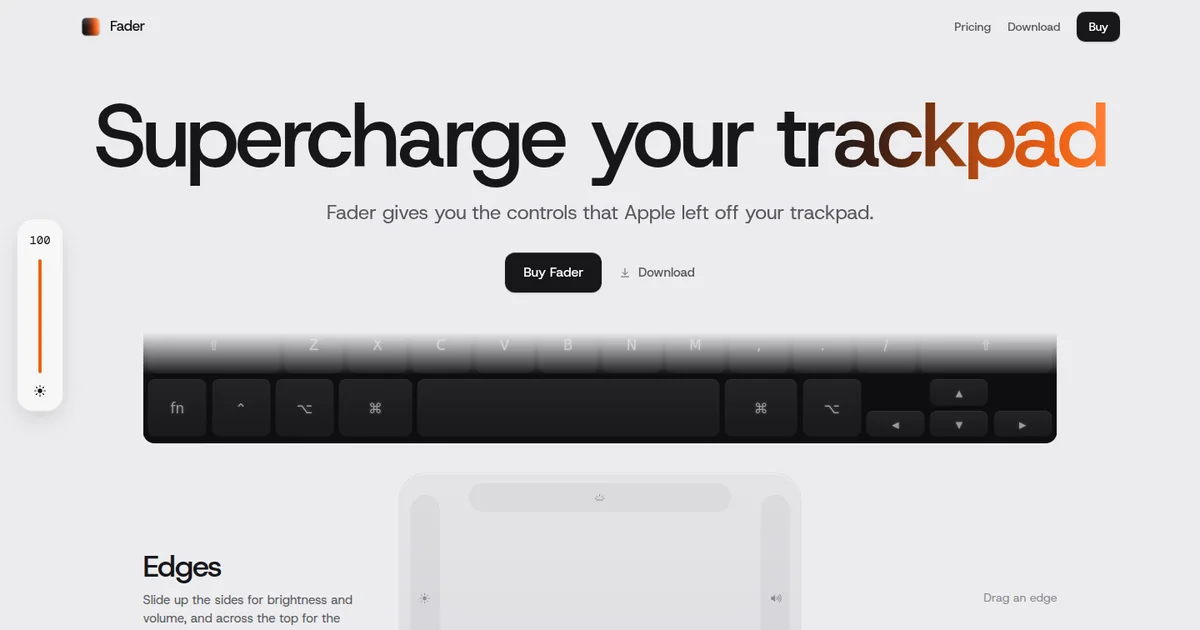
Fader is a menu bar app for Mac that adds the controls Apple left off the MacBook trackpad. Edges and gestures become volume, brightness, window and keyboard controls.
How it works
- Install the app and allow Accessibility access, so it can move windows and press keys.
- Slide a finger along the right edge for volume, the left edge for brightness and the top edge for the keyboard light.
- Use two-finger gestures to snap a window to a half, a quarter or the full screen, and pinch to minimize, close or quit a window.
Fader also turns part of the trackpad into a number keypad while a key combination is held. Lay the flat of your hand on the trackpad and every window hides, and the sound mutes until you do it again.
What makes it different
Frame takes a screenshot of only the part of the screen you select. The picture goes to your clipboard or to a folder you pick, and screenshots are never uploaded. Fader also never reads what you type.
Good to know
- It needs an Apple silicon Mac with macOS 13 Ventura or later, and Intel Macs are not supported.
- Frame needs Screen Recording permission, which is only needed if you use Frame.
- The license covers two Macs, and every future version is included.
Who it's for
Mac users who want more control from the trackpad
Typical uses
- Adjust volume while watching a video without reaching for keys
- Type numbers on the trackpad keypad in a spreadsheet
- Hide every open window quickly when someone walks up
Features
- Edge swipes for volume, brightness and keyboard light
- Two-finger gestures that snap windows to halves or quarters
- Palm gesture that hides all windows and mutes sound
- Frame screenshots of a selected area to the clipboard
- Trackpad number keypad while a key combination is held
Pricing
Paid
One-time lifetime license at 9.99 USD plus tax, currently listed at an early-bird price of 6.99 USD. Includes two Macs and all future versions.
Limitations
- Needs an Apple silicon Mac with macOS 13 or later, with no Intel support
- Frame needs Screen Recording permission
- Works with the MacBook trackpad or a Magic Trackpad
FAQ
Is Fader a subscription?
No. It is a one-time lifetime license, and every future version is included.
Does Fader read what I type?
No. It never reads what you type, and it sees your screen only for a Frame screenshot of the part you framed.
Does Fader work on Intel Macs?
No. It needs an Apple silicon Mac with macOS 13 Ventura or later.
Can I get a refund?
Yes. The license comes with 15-day refunds if the app is not right for you.