

Bookletwise
Print any PDF as a folded booklet
At a glance
Bookletwise is a free browser tool that arranges a PDF into booklet or zine pages for printing, folding and stapling at home.
- Freeno sign-up or watermark
- 500 pagesmaximum PDF length
- Pricing
- Free
- Platforms
- Web
- Category
- Productivity Tools
- Website
- bookletwise.com
- Last checked
What it does
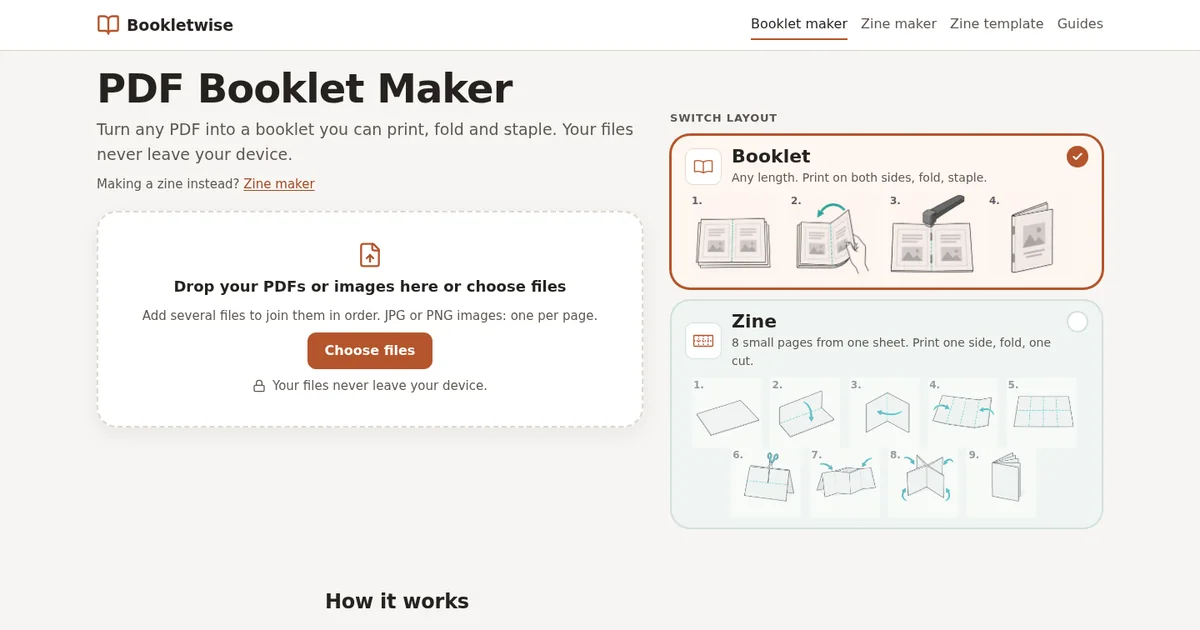
Bookletwise is a free PDF booklet maker that turns a PDF or a set of images into pages you can print, fold and staple. The tool arranges the pages in print order inside your browser, and your files never leave your device.
Working out the page order by hand takes time before you fold anything. Bookletwise sets the order for you and shows a preview of the finished pages before you download.
How it works
- Add your PDF by dragging it into the box or by choosing a file.
- Check the paper size and the preview of the finished pages.
- Download the file and print it two-sided, flipped on the short edge, at 100 percent.
- Fold the stack in half and put two staples in the fold.
Booklet or zine
The booklet layout takes any length and needs a printer that can print on both sides. The zine layout puts 8 small pages on one sheet. You print one side, fold the sheet and make one cut.
Good to know
- A printing guide on the site helps when you are not sure how to print two-sided.
- Interactive PDF forms can change after the pages are copied, so flatten them before you add the file.
Who it's for
People who print and fold their own booklets or zines at home
Typical uses
- Print a family recipe book as a folded booklet at home
- Make a small zine from a PDF to hand out at a local event
Features
- Turns a PDF or JPG and PNG images into a printable booklet
- Sets the page order for two-sided printing and folding
- Creates an 8-page zine layout from one sheet
- Shows a preview of the finished pages before download
- Offers a file with fronts and backs for printers without two-sided printing
Pricing
Free
Free to use, with no sign-up and no watermark on the booklet.
Limitations
- Printing two-sided needs a printer that supports it, or two separate passes
- Interactive PDF forms can look different after the pages are copied
- Password-protected PDFs need the password removed first
FAQ
Is Bookletwise free?
Yes. There is no sign-up and no watermark on the booklet.
Is my PDF uploaded anywhere?
No. The booklet is made in your browser, and the file is never sent to a server.
How many pages can my PDF have?
Up to 500 pages. Blank pages are added at the end so the count fills whole sheets of four pages.
Can I make a zine from a PDF?
Yes. The zine layout puts 8 small pages on one sheet, printed on one side, folded and cut once.