
BatchDocProcessor
One setup, every Word file in the folder
At a glance
BatchDocProcessor is a Windows app that applies the same letterhead, logo or clean-up to every Microsoft Word document in a folder.
- 49 USDProject license, 30 days
- 7 daysfree trial, or 50 docs
- Originals stay unchanged, and edits go to copies by default
- Documents are processed on your PC and are not uploaded
- The report gives the outcome for every file, not only a total
Works with Microsoft Word
- Pricing
- Paid
- Platforms
- Windows
- Category
- Productivity Tools
- Website
- batchdocprocessor.com
- Last checked
What it does
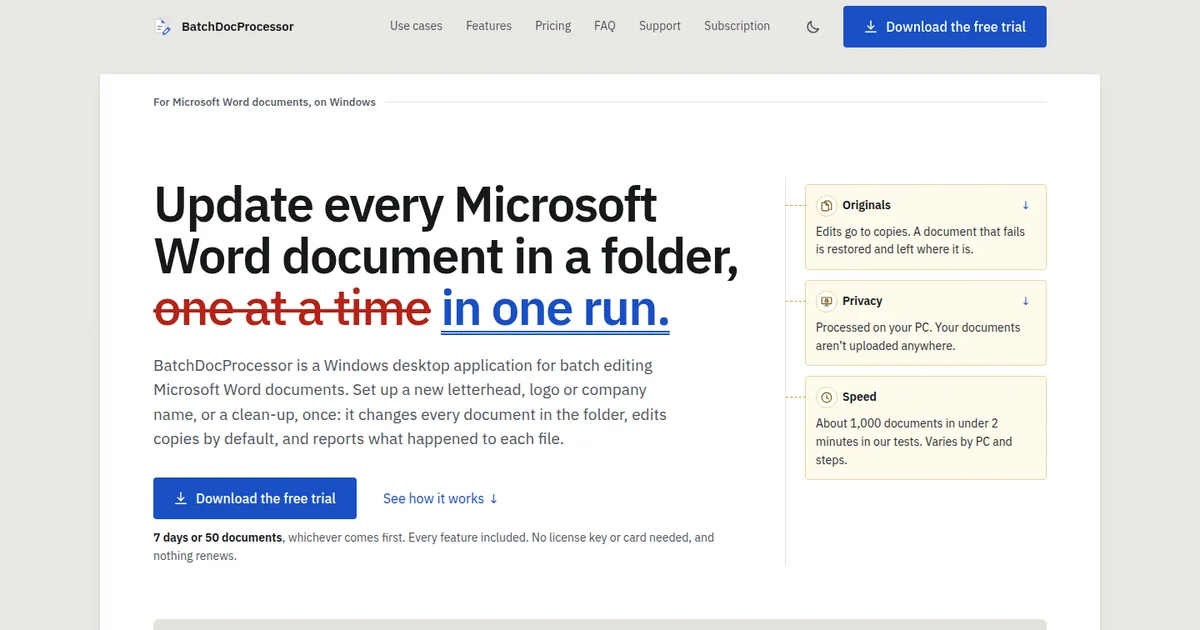
BatchDocProcessor is a Windows desktop app for batch editing Microsoft Word documents. You set up a job once, such as a new letterhead, a new logo or a clean-up before files go out, and the job runs over every document in a folder.
The app edits copies by default. Your originals stay where they are, and the edited files land in an output folder that mirrors your folder structure. A report lists every file with its status and a plain reason for each failure.
How it works
- Run the job on a few typical documents and check the copies in Word.
- Choose the folder and the templates, or drag the folder onto the window.
- Switch on the steps you need, such as headers, footers and page setup.
- Check the report for problems, then run the whole folder.
What it changes
A letterhead is easy to miss in places that a simple find and replace does not reach. The app updates headers and footers section by section, so landscape pages get the landscape version of the letterhead. It also swaps the old logo in charts, SmartArt and cover pages, and it rewrites links and paths that users never see.
Good to know
- The app handles Word documents only, not Excel or PowerPoint files, and it does not run on Mac or in a browser.
- Every document in a run gets the same steps, so the app suits batches that need one treatment.
Who it's for
Office teams that maintain many Word documents on Windows
Typical uses
- Rebrand a folder of client letters after a company name change
- Remove metadata from documents before they go out
- Repair links in a folder of Word files after a file server move
Features
- Applies one set of changes to every Word document in a folder
- Replaces letterheads, logos and company names in headers and footers
- Edits copies in an output folder and leaves the originals unchanged
- Rewrites links and paths that users do not see
- Writes a report with a reason and a hint for each file, exportable as CSV
- Saves a job as a preset for the next run
Pricing
Paid
A Project license costs 49 USD for 30 days with no renewal. The Annual license costs 124 USD a year, and the Monthly license costs 49 USD a month. Prices include tax.
Limitations
- Windows only, and it works on Microsoft Word documents only
- The free trial stops after 7 days or 50 documents, and the editing steps lock then
- Each license covers one Windows user account on one PC
FAQ
Is BatchDocProcessor free?
There is a free trial for 7 days or 50 documents, whichever comes first. After that, a license is needed to run the editing steps again.
Are my documents uploaded anywhere?
No. Documents are processed on your PC. The app contacts servers only to activate, renew or release a license and, if enabled, to check for updates.
Does BatchDocProcessor work on a Mac?
No. It runs on Windows and handles Microsoft Word documents. It does not handle Excel or PowerPoint files.
Can I get a refund?
Yes. Ask within 14 days of a payment, and you get the full amount back without giving a reason.