

AI Video Expander
Expand video frames to new aspect ratios with AI
At a glance
AI Video Expander is a web tool that generates the scene outside a clip's frame, so the clip fits a new aspect ratio without cropping.
- 10 sec freeone clip, no account
- 19.90 USD/moBasic plan, monthly
- Keeps the subject in view when the aspect ratio changes
- Keeps the original clip duration on a new canvas
- Free trial of one clip up to 10 seconds, no account
- Pricing
- Freemium
- Platforms
- Web
- Category
- AI Image & Video Tools
- Website
- aivideoexpander.app
- Last checked
What it does
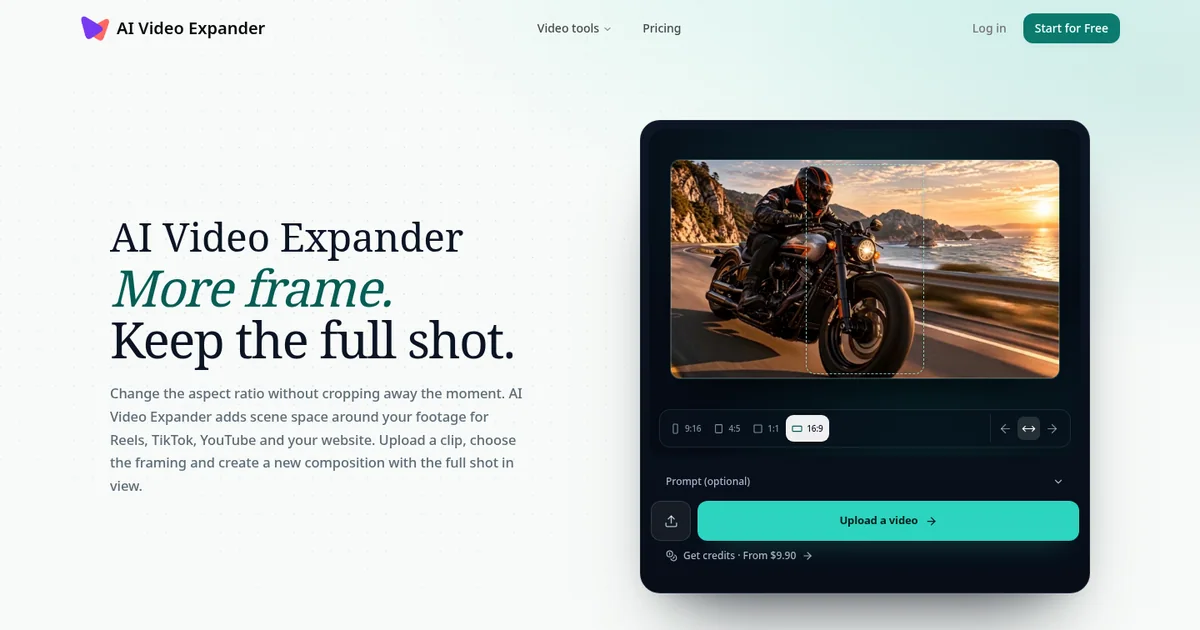
AI Video Expander is a web tool for changing the aspect ratio of a video without cropping the subject. It generates scenery beyond the edges of the original frame, so a horizontal clip can fill a vertical screen, or a square clip can become widescreen.
Social creators use it to reformat a clip for TikTok, Reels or YouTube. Teams use the same video outpainting to fit a clip into a website or a presentation layout. You pick a target ratio, choose the direction of the new area and start the expansion.
How it works
- Select a clip and pick the aspect ratio you need, such as 9:16, 16:9, 1:1 or 4:5.
- Choose the direction in which the new scene area should appear.
- Start the expansion and download the finished video when it is ready. The original duration stays the same.
What makes it different
The tool creates a plausible continuation of the visible scene, so the subject stays in view. Each expansion uses credits, at one credit per second of source video. One clip of up to 10 seconds can be expanded for free before you buy anything.
Good to know
- The added scene is AI-generated, so fine textures, fast motion and complex backgrounds can show artifacts.
- Review the new area before you publish the clip.
- Each account can run one expansion at a time.
Who it's for
Social creators and teams that reformat video clips for different placements
Typical uses
- Reformat a horizontal clip for a vertical TikTok or Reels post
- Fit a square clip into a website or presentation layout
- Turn a tightly framed shot into a widescreen video
Features
- Expands the scene beyond a clip's original frame
- Converts clips to 9:16, 16:9, 1:1 and 4:5 ratios
- Lets you choose the direction of the new scene area
- Keeps the original clip duration when the canvas changes
- Downloads finished videos as MP4 with the original audio
Pricing
Freemium
One clip of up to 10 seconds is free. Monthly plans cost 19.90 USD (Basic), 39.90 USD (Pro) and 79.90 USD (Max), with yearly billing. Credit packs start at 9.90 USD.
Limitations
- The added scene is AI-generated, so artifacts can appear in fast motion or busy backgrounds
- Each account can run one expansion at a time
- The free trial covers one clip of up to 10 seconds
FAQ
Is AI Video Expander free?
You can expand one clip of up to 10 seconds for free. Longer videos and more clips need credits, from a 9.90 USD one-time pack or a monthly plan.
Does it crop the video?
No. The tool adds generated scenery around the frame, so the original shot stays in view. The clip keeps its original duration.
Does the added scene look real?
The new area is AI-generated and is a plausible continuation of the visible scene. Review it before you publish the clip.
How are credits used?
Video expansion uses 1 credit per second of source video. Plan credits are valid for 30 days, and one-time pack credits for 90 days.